


TSRE – New Vulkan Engine
I'd like to introduce the new Vulkan rendering engine I've been working on for TSRE. Compared with the old renderer in TSRE 0.7.6, the changes cover much more than the graphics API: lighting, weather, clouds, fog, water, materials and scene rendering have all received major improvements.
Dynamic weather and volumetric clouds
Fog, mist and distant scenery
Day, night and lighting
Water, materials and vegetation
Rendering and loading improvements
The rendering pipeline now gathers and organises the scene before drawing it. Repeated objects can be drawn together, and geometry outside the view is skipped more efficiently. Shape parsing also runs on worker threads to reduce interruptions while scenery loads.
An Environment window lets you preview different times, dates and weather conditions directly in the editor.
Existing routes and current status
Existing MSTS routes, shapes and textures remain supported. Many visual improvements work with existing scenery; advanced materials and model-defined lights need assets containing the relevant information.
This is still work in progress, with visual tuning and optimisation continuing. Some improvements are shared with the updated OpenGL renderer, while the advanced atmosphere and several lighting effects use the new Vulkan renderer. Performance depends on the route, hardware and selected effects.
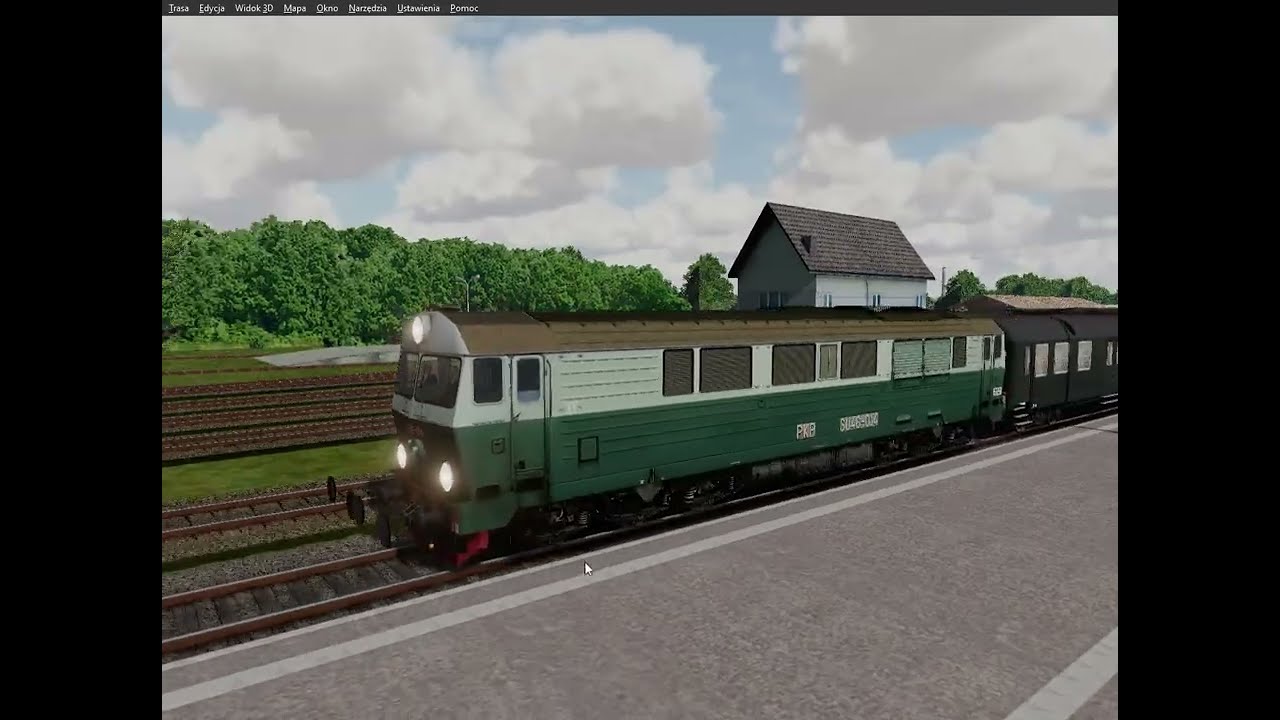
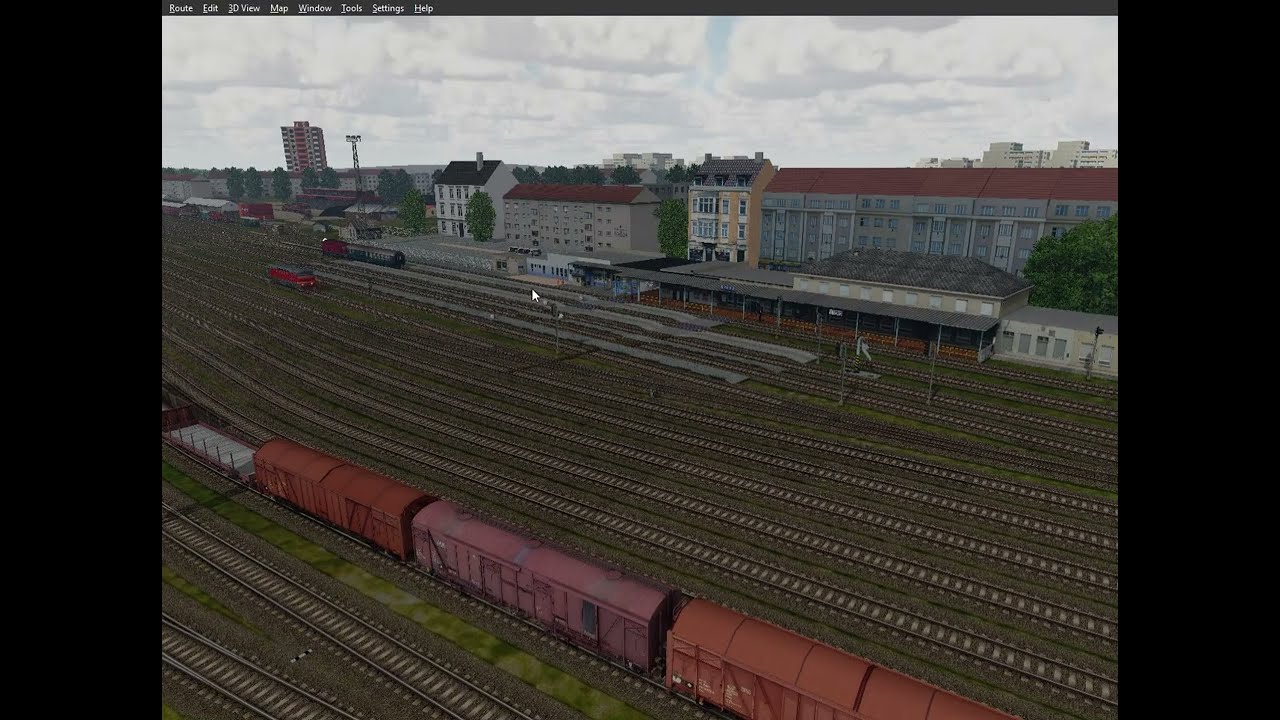
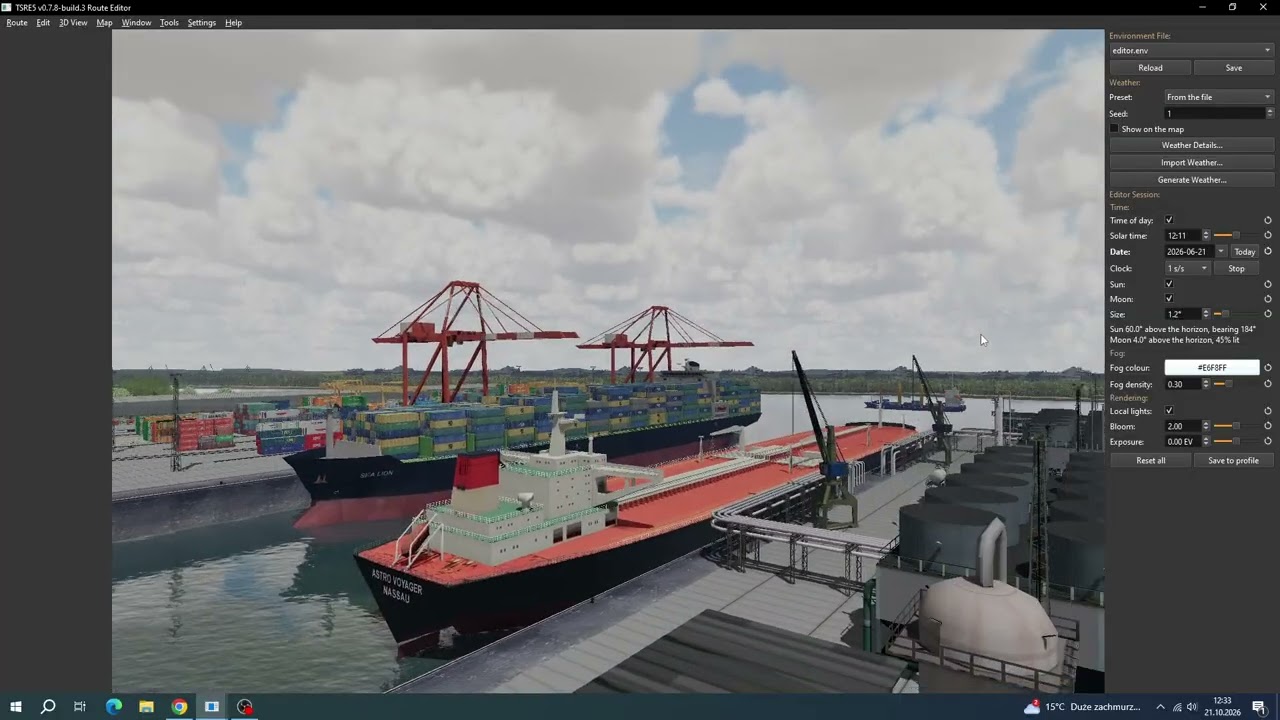
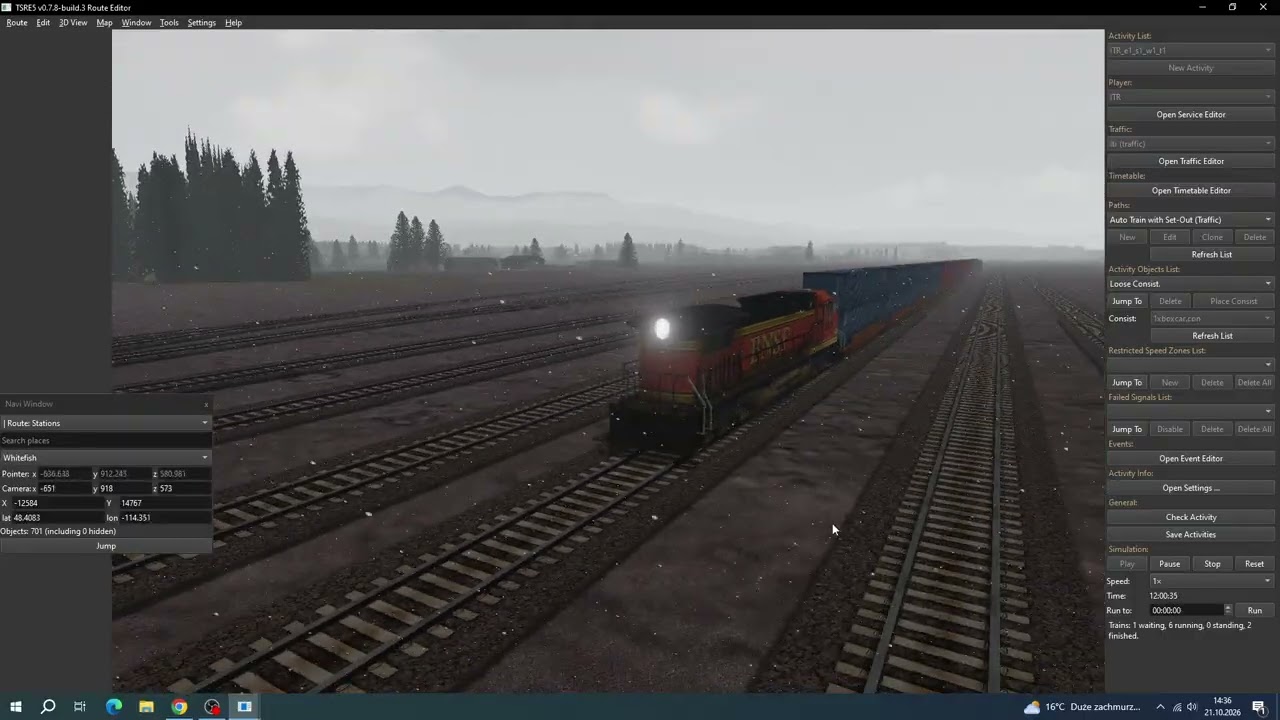
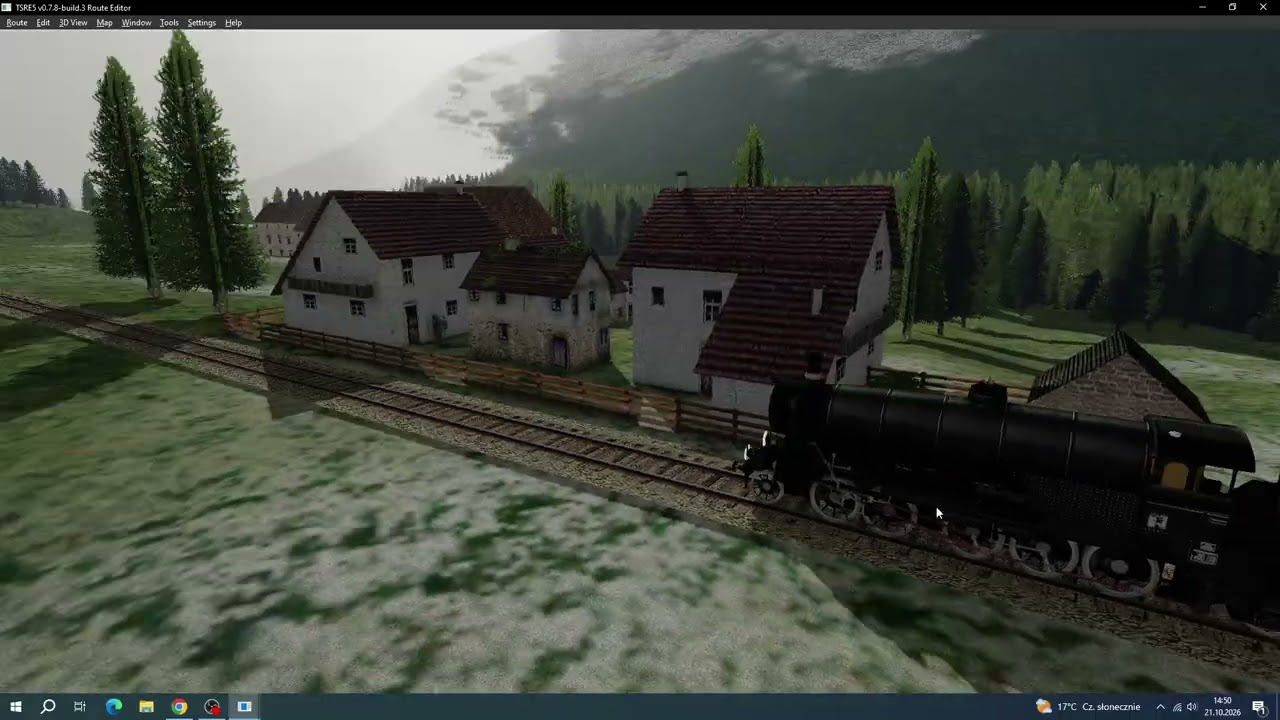
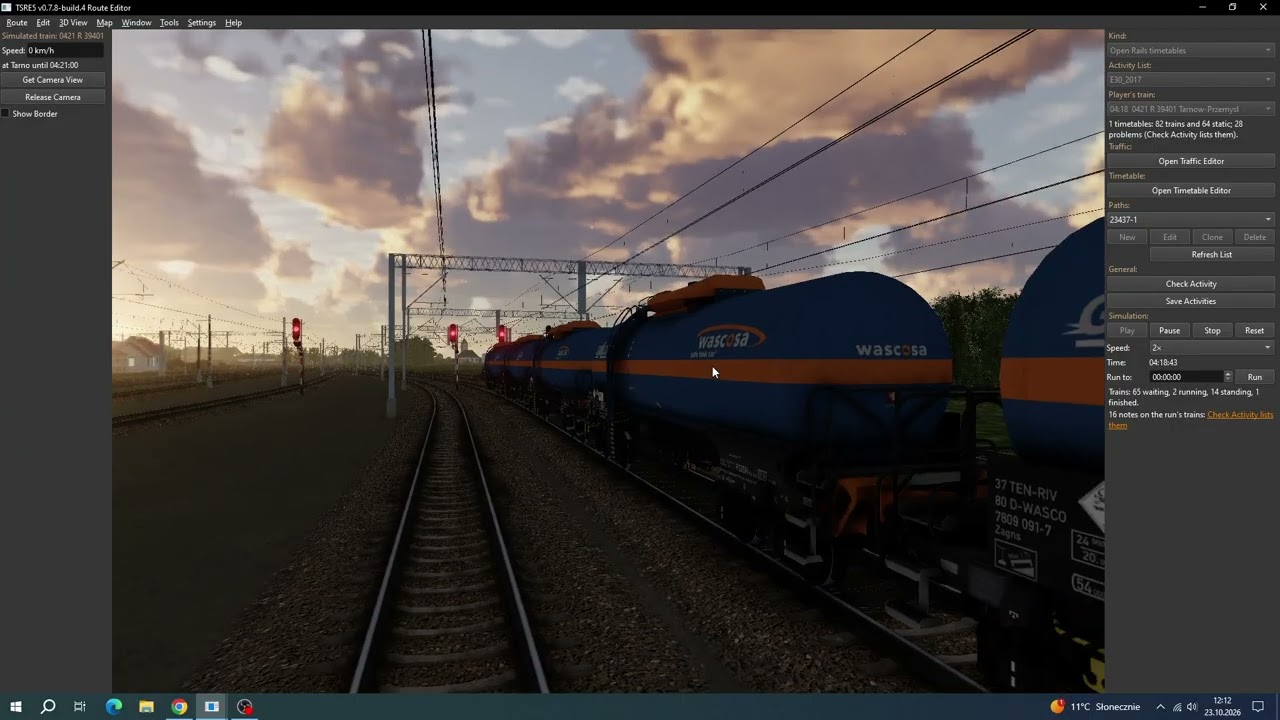
The screenshots below show the current results on several routes. I'd be interested to hear what you think!
To enable, go to Settings and select Graphics Presets -> Advanced Environment.
Requires Qrhi Vulkan, usually set by default.
All images: https://imgur.com/a/vem6Dst


I'd like to introduce the new Vulkan rendering engine I've been working on for TSRE. Compared with the old renderer in TSRE 0.7.6, the changes cover much more than the graphics API: lighting, weather, clouds, fog, water, materials and scene rendering have all received major improvements.
Dynamic weather and volumetric clouds
- Weather that changes over time and across the route
Cloud coverage, wind, precipitation and visibility can vary through a weather sequence. Weather fields move with the wind and blend between keyframes, allowing passing fronts and changing conditions. - Volumetric clouds
Low and middle cloud layers have real volume, with a separate high cloud layer. Clouds move with the wind, respond to sunlight and cast shadows over the scenery. - Storm clouds and rain
Tall storm clouds, dark cloud bases, distant rain curtains and falling rain near the camera add much more variety to bad weather. Nearby rain respects overhead cover. - A physical sky and atmosphere
The sky changes with the sun's position and atmospheric conditions. Overcast weather changes the scene's lighting, while sunlight breaking through clouds produces visible light shafts. - Weather presets and historical weather import
Weather can be generated from presets or imported from historical data, with a map view for inspecting conditions across the route.
Fog, mist and distant scenery
- Ground mist and valley fog
Fog responds to weather, time of day and terrain. It can collect in low ground and valleys, drift with the wind and thin as the morning warms. - Volumetric lighting in fog
Sunlight, lamps, signals and train headlights can illuminate the fog, making light shafts and headlight beams visible. - Atmospheric haze
Distant terrain fades into the atmosphere with colour and visibility influenced by the sky and weather, giving hills and mountains a stronger sense of distance.
Day, night and lighting
- Sun and moon lighting
The sun follows the selected date, time and geographical location. Moonlight depends on the moon's phase and height, and can cast shadows at night. - Improved shadows
Three shadow cascades provide sharper detail near the camera while covering distant scenery. Cloud shadows add another layer of changing light. - Local lights and emissive materials
Supported models can include point lights, spotlights and glowing surfaces that illuminate nearby objects and terrain. - Signals and train lights
Signal lamps and rolling-stock lights are rendered, including train headlights that illuminate the track and fog. - Night textures
MSTS night textures bring illuminated windows and other authored night details into view as daylight fades, with glow support in the Vulkan renderer. - Lighting under cover
Sky enclosure handling improves lighting beneath roofs and in tunnels, reducing ambient light where the sky is blocked. - Automatic exposure, HDR and bloom
Exposure can adapt to the scene's brightness. Tone-mapping controls shape the final image, while bloom adds glow around supported light sources and emissive surfaces. - Ambient occlusion
Optional ambient occlusion adds depth beneath objects, in corners and where surfaces meet.
Water, materials and vegetation
- Animated, reflective water
Moving waves, sun glints and reflections of the surrounding scenery replace the old flat appearance, while retaining colour from the route's water textures. - Modern glTF/GLB materials
Physically based materials support metallic and rough surfaces, normal maps, environment reflections, clearcoat and transmission. - Improved vegetation support
Supported glTF vegetation can use foliage backlighting, levels of detail and distant tree impostors. Forest objects can also place repeated tree shapes.
Rendering and loading improvements
The rendering pipeline now gathers and organises the scene before drawing it. Repeated objects can be drawn together, and geometry outside the view is skipped more efficiently. Shape parsing also runs on worker threads to reduce interruptions while scenery loads.
An Environment window lets you preview different times, dates and weather conditions directly in the editor.
Existing routes and current status
Existing MSTS routes, shapes and textures remain supported. Many visual improvements work with existing scenery; advanced materials and model-defined lights need assets containing the relevant information.
This is still work in progress, with visual tuning and optimisation continuing. Some improvements are shared with the updated OpenGL renderer, while the advanced atmosphere and several lighting effects use the new Vulkan renderer. Performance depends on the route, hardware and selected effects.
The screenshots below show the current results on several routes. I'd be interested to hear what you think!
To enable, go to Settings and select Graphics Presets -> Advanced Environment.
Requires Qrhi Vulkan, usually set by default.
All images: https://imgur.com/a/vem6Dst





Comment