Eric, could you go into the TRprofile.stf a little for us noobs?
Out of all of the routes I have on my system (I have a lot) these are the only ones with that file.
TrProfile is a file used by OpenRails to render dynamic track. It contains the shape vectors to be extruded, and the related texture mapping details.
Some route builders provide them, others don't. I've included one in the downloads for both the ATracks and USTracks replacements.
I see that the profile included in the DDS track package does reference an ACE file, but that can easily changed over to DDS in a text editor.
Mapping for any US Tracks should match regardless if they're an ACE or a DDS. Just change ".ace" to ".dds" and you should be good to go.
If you like what you see here at Trainsim.com, be it the discussions and knowledge in the forums, or items available in our library, I hope you'll consider a paid membership to help support keeping the site operating.... Thanks!
Open rails will default to .dds textures even if there are also .aces available.
TSRE will default to using .ace textures even if there is a .dds. Delete the .ace.
Doesn't matter what it says in the shape file.
I've been deleting .aces so they don't interfere with TSRE.
Unless someone can convince me that it's a good idea to keep it, I'm disabling DDS/ACE substitution altogether in TSRE v8.004 --- if a texture is missing, I want to know about it.
If you like what you see here at Trainsim.com, be it the discussions and knowledge in the forums, or items available in our library, I hope you'll consider a paid membership to help support keeping the site operating.... Thanks!
When I disabled the function in my debug build, I found a bunch of missing textures that the shape was calling for. A few were substituting another file with the same name but different extension.
It's easy enough to make that an option, but I'm not a fan of it being the default behavior in either TSRE or ORTS to be honest.
If you like what you see here at Trainsim.com, be it the discussions and knowledge in the forums, or items available in our library, I hope you'll consider a paid membership to help support keeping the site operating.... Thanks!
Is there an option with .dds textures? All the downloads associted with this track pack seem to have 0 .dds textures included and plenty of .ace.
I know I've seen them, but I'm not finding any in the library. Would make for a good project for someone motivated enough...
If you like what you see here at Trainsim.com, be it the discussions and knowledge in the forums, or items available in our library, I hope you'll consider a paid membership to help support keeping the site operating.... Thanks!
I believe that is a terrain issue where it is slightly higher than the track. Seen it to some extent in nearly every Route I've run.
Geary "Mr. Hart" Gerhardt - Owner and CEO of Hart Rail Lines, Hart Commuter Railways, and Hart Rail Cars. Also the defunct Hart Electric Transit.
Its Your Train Sim World, sim as you please.
You'd have to edit it in TSRE - either raise the tracks a bit, or lower the ground.
For most things, I'd just leave it, but I know some folks like taking screenshots.
For a screenshot, I'd first see if I could "hide" it by putting a train over it, if that didn't fit my shot, I'd edit it in TSRE.
You could edit the terrain - or - You could go back to using flat track along with one of the higher resolution textures that makes the flat track look somewhat good. It's a graphical issue only, subject to your own personal expectations, and as with many such things it's a tradeoff.
You don't want to be moving track about without knowing what you're doing. You can destroy the route.
If it's of concern, a couple minutes of lowering the terrain in TSRE will fix it.
You could also paint the terrain under the tracks while your at it to give it a little more pop.
We process personal data about users of our site, through the use of cookies and other technologies, to deliver our services, personalize advertising, and to analyze site activity. We do not share information about our users with anyone. For additional details, refer to our Privacy Policy.
By clicking "I UNDERSTAND" below, you consent to our Privacy Policy and our personal data processing and cookie practices as described therein. You also acknowledge that this forum may be hosted outside your country and you consent to the collection, storage, and processing of your data in the country where this forum is hosted.


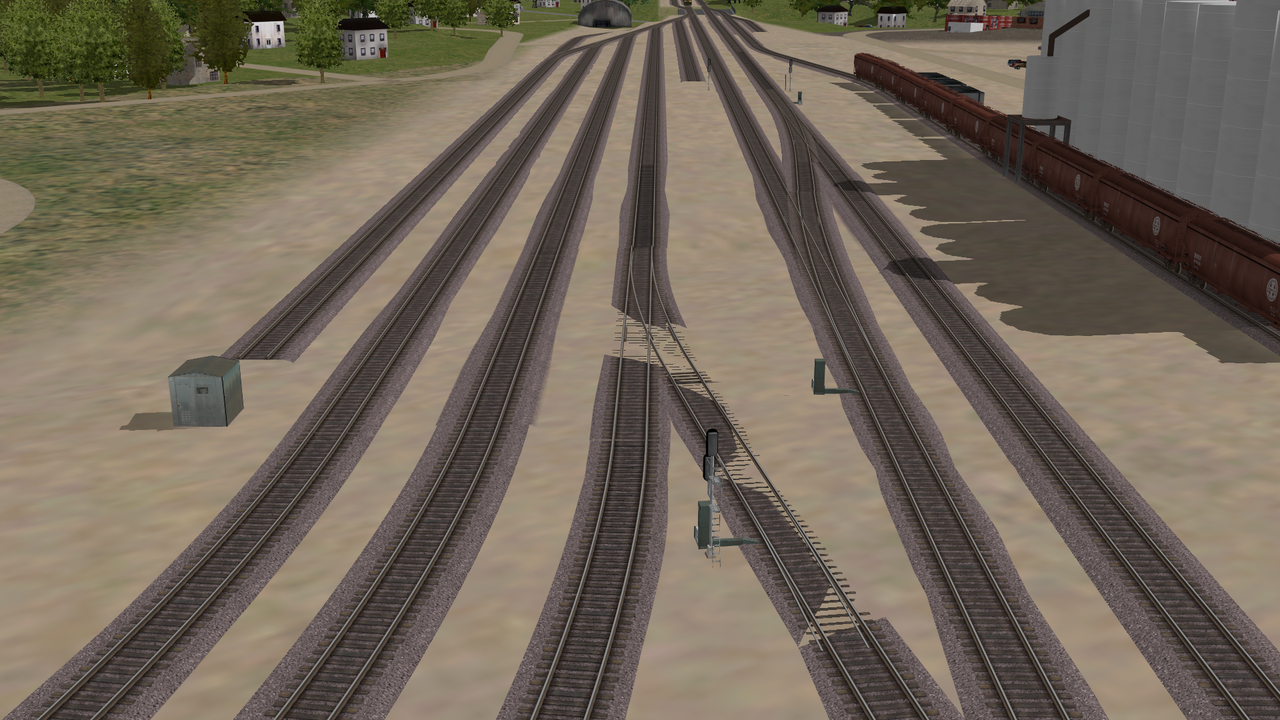


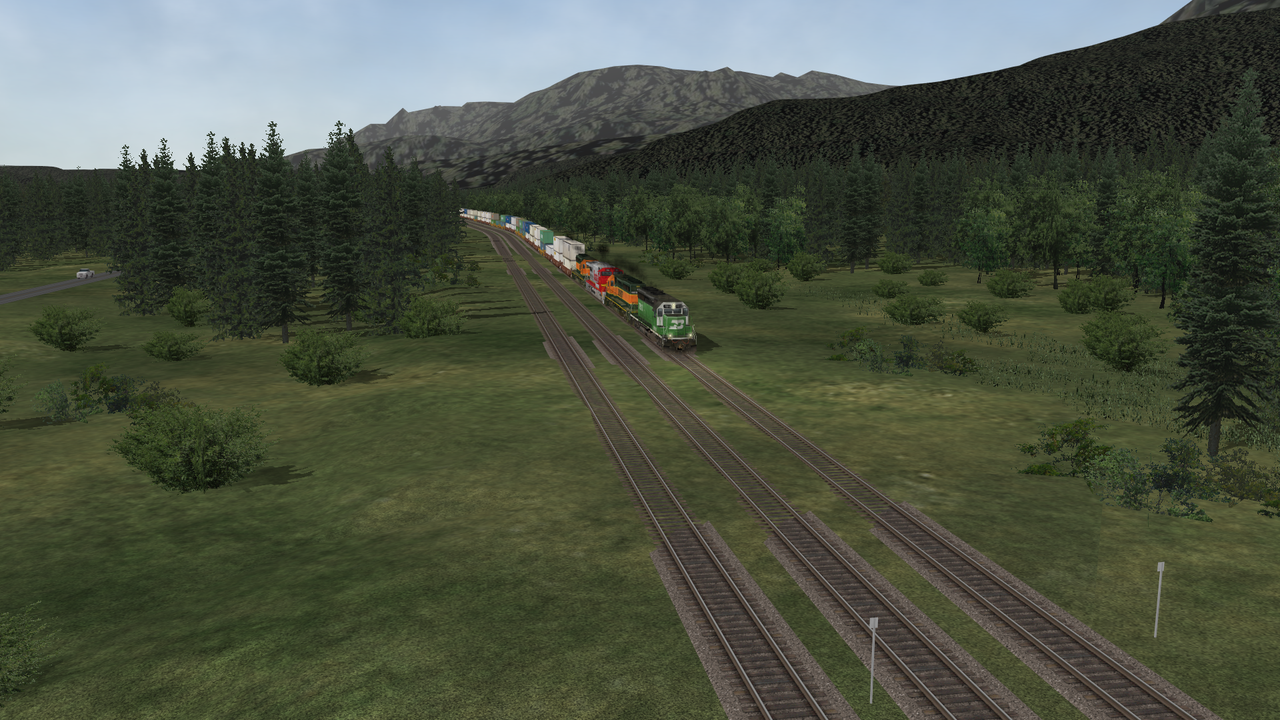 Shows up again on Scenic too.

Comment