


Hi Folks,
Since everyone doesn't always keep up with all the changes in ORTS - figure a picture is worth a thousand words.
You can now move your HUD displays like Track Viewer and Train Driver to a remote PC or Mobile Device via the ORTS Web Server built into the ORTS software. I'm using my iPad in the picture. Just enable in the ORTS options and connect to it via any port you assign. What a godsend compared to cluttering up your main display.
For Example: I'm using http://192.168.254.46:2150
Where 192.168.254.46 is the IP of my PC running ORTS and 2150 is the port defined in the ORTS General Settings.
Also note - I am using a simple Xbox type game controller to drive all my train controls and views.
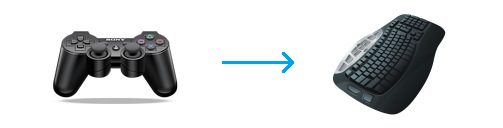
For those still using the keyboard - step away - get a $25.00 game controller and start to enjoy driving trains.
You need a $7.00 piece of software to facilitate the connection to the controller called Joy2Key.
 IMG_1191 by Scott B, on Flickr
Regards,
Scott
Since everyone doesn't always keep up with all the changes in ORTS - figure a picture is worth a thousand words.
You can now move your HUD displays like Track Viewer and Train Driver to a remote PC or Mobile Device via the ORTS Web Server built into the ORTS software. I'm using my iPad in the picture. Just enable in the ORTS options and connect to it via any port you assign. What a godsend compared to cluttering up your main display.
For Example: I'm using http://192.168.254.46:2150
Where 192.168.254.46 is the IP of my PC running ORTS and 2150 is the port defined in the ORTS General Settings.
Also note - I am using a simple Xbox type game controller to drive all my train controls and views.
For those still using the keyboard - step away - get a $25.00 game controller and start to enjoy driving trains.
You need a $7.00 piece of software to facilitate the connection to the controller called Joy2Key.
 IMG_1191 by Scott B, on Flickr
Regards,
Scott


 But it's better than not having a job at all.


Comment