Open Rails - A Better Way to Drive Trains

Collapse
X
 
  • Time
  • Show
Clear All
new posts
  • scottb613
    2500 Post Veteran


    • Apr 2003
    • 2848
    • Downeast Maine (soon)
    • ORTS

    #1

    Open Rails - A Better Way to Drive Trains

    Hi Folks,

    Since everyone doesn't always keep up with all the changes in ORTS - figure a picture is worth a thousand words.

    You can now move your HUD displays like Track Viewer and Train Driver to a remote PC or Mobile Device via the ORTS Web Server built into the ORTS software. I'm using my iPad in the picture. Just enable in the ORTS options and connect to it via any port you assign. What a godsend compared to cluttering up your main display.

    For Example: I'm using http://192.168.254.46:2150

    Where 192.168.254.46 is the IP of my PC running ORTS and 2150 is the port defined in the ORTS General Settings.

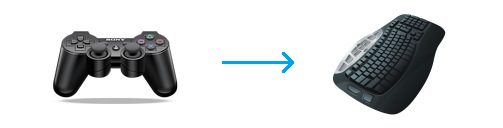
    Also note - I am using a simple Xbox type game controller to drive all my train controls and views.

    For those still using the keyboard - step away - get a $25.00 game controller and start to enjoy driving trains.

    You need a $7.00 piece of software to facilitate the connection to the controller called Joy2Key.

    Download the latest version of JoyToKey for free! JoyToKey enables PC game controllers to emulate a mouse and the keyboard input, so that windows applications and web games can be controlled with joysticks.


    IMG_1191 by Scott B, on Flickr


    Regards,
    Scott
    <a href=https://www.trainsim.com/forums/filedata/fetch?filedataid=80663&type=full title=thumb_80663.png >thumb_80663.png</a>​ My Blender Models
  • R. Steele
    3500 Post Veteran

    • Feb 2013
    • 3928
    • known universe
    • ORTS

    #2
    Scott, I've followed your posts about Joy2Key, but never got around to installing it, just bought a controller, looks like it's time to try it out.
    Any advice on setting it up for OR? or is there a template or something for setting it up...noob questions here.
    Also never owned a pad, what do you recommend?...something that gives a decent sized view of the HUDs
    Cheers, Gerry
    "A mind is like a parachute. It doesn't work if it is not open." Frank Zappa
    It's my railroad and I'll do what I want! Historically accurate attitude of US Railroad Barons.
    Forever, ridin' drag in railroad knowledge.
    Audi, Vide, Tace, Si Vis Vivere In Pace​

    https://www.trainsim.com/forums/filedata/fetch?filedataid=79656&type=medium​ https://www.trainsim.com/forums/filedata/fetch?filedataid=79654&type=small

    Comment

    • scottb613
      2500 Post Veteran


      • Apr 2003
      • 2848
      • Downeast Maine (soon)
      • ORTS

      #3
      Open Rails - A Better Way to Drive Trains

      Hi Gerry,

      If you’re buying an iPad simply for train sim - and money is a consideration - I’d probably look at whatever sized screen looks good to you in an Android device as they are considerably cheaper. I don’t know much about Android. In order to fit both displays as shown I’d suggest at least an iPad mini sized tablet that’s around an 8” display - that would be smaller than my full sized 10” display shown.

      You can certainly use any device that has a web client such as Edge or Chrome - you could test this out with a smart phone and see if you like it. It would just be difficult to get both displays (Track Viewer and Train Driver) on a phone - so you could test with a single display of your choosing.

      If you have a Logitech game controller - I could probably send you my setup to help you get you started - just let me know which one you have - as I have both of their devices defined in different Joy2Key profiles.

      Joy2Key is super simple yet feature rich. You can have up to four different key sequences per button/joystick that cycle by (orderly progression on each subsequent key press) (number of times pressed like double click) (duration of time pressed - long press) or (using a shift button) - this provides you a lot of different options on a finite number of available keys. I have one profile for steam and another for diesel.

      It’s so relaxing to kick back in your favorite chair, with your feet up, while sipping a beer, and driving trains - instead of hunched over the keyboard trying to remember the next needed key sequences...

      Regards,
      Scott


      Sent from my iPad using Tapatalk
      Last edited by scottb613; 01-17-2021, 14:20.
      <a href=https://www.trainsim.com/forums/filedata/fetch?filedataid=80663&type=full title=thumb_80663.png >thumb_80663.png</a>​ My Blender Models

      Comment

      • scottb613
        2500 Post Veteran


        • Apr 2003
        • 2848
        • Downeast Maine (soon)
        • ORTS

        #4
        Originally posted by R. Steele
        Scott, I've followed your posts about Joy2Key, but never got around to installing it, just bought a controller, looks like it's time to try it out.
        Any advice on setting it up for OR? or is there a template or something for setting it up...noob questions here.
        Also never owned a pad, what do you recommend?...something that gives a decent sized view of the HUDs
        Hi Gerry,

        One final thought on tablets - again - for ORTS you don't need anything with Cell Service - as WiFi only devices are cheaper as well.

        Regards,
        Scott
        <a href=https://www.trainsim.com/forums/filedata/fetch?filedataid=80663&type=full title=thumb_80663.png >thumb_80663.png</a>​ My Blender Models

        Comment

        • rdayt
          1000 Post Veteran

          • Nov 2007
          • 1291
          • SW MO
          • ORTS

          #5
          I use the heads up display on another monitor.
          I love having the game full screen except for that little HUD Scroll window up in the corner.
          Anybody figure out how to get rid of it?

          Randy

          Comment

          • brama
            Member

            • Dec 2012
            • 74
            • Netherlands

            #6
            Interesting option. Since I don't have a tablet lying around, I tried it with an ancient iPhone 5s*, running iOS 12. Works just fine for showing Track Monitor. Even better: I hooked up my current Motorola. Works perfectly alongside the iPhone

            That said. My PC is set up in the only wifi dead zone in my home. Time for a wifi repeater.

            * Don't tell the boss. Still have to return it when they finally want me back at work. Working at home since 19 March. Getting tired of it But it's better than not having a job at all.

            Comment

            • scottb613
              2500 Post Veteran


              • Apr 2003
              • 2848
              • Downeast Maine (soon)
              • ORTS

              #7
              Originally posted by rdayt
              I use the heads up display on another monitor.
              I love having the game full screen except for that little HUD Scroll window up in the corner.
              Anybody figure out how to get rid of it?

              Randy
              Hi Randy,

              Sorry - haven't a clue.

              Regards,
              Scott
              <a href=https://www.trainsim.com/forums/filedata/fetch?filedataid=80663&type=full title=thumb_80663.png >thumb_80663.png</a>​ My Blender Models

              Comment

              • scottb613
                2500 Post Veteran


                • Apr 2003
                • 2848
                • Downeast Maine (soon)
                • ORTS

                #8
                Originally posted by brama
                Interesting option. Since I don't have a tablet lying around, I tried it with an ancient iPhone 5s*, running iOS 12. Works just fine for showing Track Monitor. Even better: I hooked up my current Motorola. Works perfectly alongside the iPhone

                That said. My PC is set up in the only wifi dead zone in my home. Time for a wifi repeater.

                * Don't tell the boss. Still have to return it when they finally want me back at work. Working at home since 19 March. Getting tired of it But it's better than not having a job at all.
                Hi...

                Glad you like it - it's a game changer in my book...

                Regards,
                Scott
                <a href=https://www.trainsim.com/forums/filedata/fetch?filedataid=80663&type=full title=thumb_80663.png >thumb_80663.png</a>​ My Blender Models

                Comment

                • csx8851
                  Senior Member
                  • Feb 2013
                  • 347
                  • CSX Freemont Secondary

                  #9
                  Hello Scott,

                  Would you be able to show a few screenshots of how to set this up and where to find the port number. Is there anywhere I can read up on this functionality?
                  Visit me on Youtube:
                  https://www.youtube.com/user/csx8851

                  Comment

                  • scottb613
                    2500 Post Veteran


                    • Apr 2003
                    • 2848
                    • Downeast Maine (soon)
                    • ORTS

                    #10
                    Originally posted by csx8851
                    Hello Scott,

                    Would you be able to show a few screenshots of how to set this up and where to find the port number. Is there anywhere I can read up on this functionality?
                    Hi...

                    MAKE SURE your remote device is on your WiFi network with your PC running ORTS - - - you can't use your cell service.

                    Make sure you're running Carlo's V88 Monogame or later.


                    In ORTS [Options] [General] only be concerned with two fields as follows (remember the port):

                    Enable Webserver

                    Port Number (suggest leaving 2150 unless you have valid reason to change it)

                    Image1.jpg


                    Now on your PC running ORTS - open a "cmd" Command Window - you can find it by opening [Start] bar and typing "cmd" in the search window.

                    In that command window TYPE: ipconfig

                    Note your IPv4 IP Address as shown in my screenshot.

                    Image2.jpg


                    Finally just open your web browser on your REMOTE device and type your previous information in the address field as shown - your IP will be different than mine. You may get a security warning message on your PC running ORTS - just allow.

                    IMG_2750.jpg


                    Regards,
                    Scott
                    <a href=https://www.trainsim.com/forums/filedata/fetch?filedataid=80663&type=full title=thumb_80663.png >thumb_80663.png</a>​ My Blender Models

                    Comment

                    • ngc427
                      Member

                      • Nov 2018
                      • 79
                      • Western Pennsylvania
                      • English
                      • General

                      #11
                      I'm thrilled to see this finally in OR. I loved how in Flight Sim X you could pop-out HUD elements onto other monitors and long have I dreamed about that being possible in OR to clean up clutter on the main screen, and now it's can finally possible!

                      I was able to get it working in my web browser on the same PC that is running OR, so an external device isn't a requirement to use the feature. I was also able to get it working by using non-MonoGame OR in the latest weekly testing update.

                      Something that would be interesting to see built off of this feature is a software that emulates the computer displays found in modern GE/EMD cabs, a semi-functional PTC display for OR, or analog gauge software that emulates the gauges on older AAR-style control stands.

                      Comment

                      • rdayt
                        1000 Post Veteran

                        • Nov 2007
                        • 1291
                        • SW MO
                        • ORTS

                        #12
                        Originally posted by ngc427
                        I'm thrilled to see this finally in OR. I loved how in Flight Sim X you could pop-out HUD elements onto other monitors and long have I dreamed about that being possible in OR to clean up clutter on the main screen, and now it's can finally possible!

                        I was able to get it working in my web browser on the same PC that is running OR, so an external device isn't a requirement to use the feature. I was also able to get it working by using non-MonoGame OR in the latest weekly testing update.

                        Something that would be interesting to see built off of this feature is a software that emulates the computer displays found in modern GE/EMD cabs, a semi-functional PTC display for OR, or analog gauge software that emulates the gauges on older AAR-style control stands.
                        How about the whole cabview on a second monitor.

                        Comment

                        • cjakeman
                          Senior Member
                          • Mar 2010
                          • 137

                          #13
                          Originally posted by rdayt
                          How about the whole cabview on a second monitor.
                          That's a very different proposition.

                          The web-server is not intended for this as it's just sending web-pages to a web browser.

                          The architecture of Open Rails currently has a single Viewer module which uses the current camera to show its graphical view. To show more than one view at once, we will need multiple viewers each with independent cameras. Not impossible, but it's not high on our priorities.

                          Another possibility might be to develop the multi-player facility and have two separate Open Rails running at once. That would allow steam enthusiasts to take over driver and fireman roles independently.
                          Chris Jakeman

                          sigpic

                          Comment

                          • billbloggs
                            Member
                            • Oct 2004
                            • 73
                            • .

                            #14
                            Hi Scott!

                            Just want to express my appreciation for your heads up re utilizing my iPad for operation of the track monitor. Just brilliant!!! Dabbling in video creation as I am the ability NOT to now need to remove the track monitor at every 'exit cabview' change is soooooo good. While I'm at it your previous postings re using the TSRE editors were very helpful, not least because of the effort to explain what it is your writing, either screen shots or step by step instructions. Hope you realize the enormous assistance you provide to the less talented of which I am one lol! THANK YOU!

                            Comment

                            • scottb613
                              2500 Post Veteran


                              • Apr 2003
                              • 2848
                              • Downeast Maine (soon)
                              • ORTS

                              #15
                              Originally posted by billbloggs
                              Hi Scott!

                              Just want to express my appreciation for your heads up re utilizing my iPad for operation of the track monitor. Just brilliant!!! Dabbling in video creation as I am the ability NOT to now need to remove the track monitor at every 'exit cabview' change is soooooo good. While I'm at it your previous postings re using the TSRE editors were very helpful, not least because of the effort to explain what it is your writing, either screen shots or step by step instructions. Hope you realize the enormous assistance you provide to the less talented of which I am one lol! THANK YOU!
                              Hi Bill,

                              Well thank you kindly. I get a great deal of satisfaction out of trying to improve things and helping others get more enjoyment out of the sim. I'm glad you found it useful and thanks for the feedback...

                              Regards,
                              Scott
                              <a href=https://www.trainsim.com/forums/filedata/fetch?filedataid=80663&type=full title=thumb_80663.png >thumb_80663.png</a>​ My Blender Models

                              Comment

                              Working...