Guests will only have limited access to our forums. For full access to all topics and channels, please register. It's free.
To download files, make sure your browser allows popups for this site. Our Shopping Cart requires it for the best experience and for you to accept the download when it's your turn.
If you like what you see here at Trainsim.com, be it the discussions and knowledge in the forums, or items available in our library, I hope you'll consider a paid membership to help support keeping the site operating.... Thanks!
I’m not seeing the price of the SP expansion. Not that it will stop me from getting it…
$29.99 minus 10%.
Regards,
Nick
( ' boffin0_reprised ' on TikTok )
Cyberpower Desktop with AMD Ryzen 5 CPU /. 16GB RAM /. ATI AMD Radeon RX6700 12GB graphics /. Windows 11 Home 64bit /. RailDriver /. Partridge in a pear tree....
Note that the installation process, after the serial number is input, instructs you to install the pack into the MRL MULLAN PASS ROUTE if no folder is automatically shown. This is obviously a mistake, left over from when that route's expansion pack was released a couple of years ago, and should read SP_SHASTA route.
Regards,
Nick
( ' boffin0_reprised ' on TikTok )
Cyberpower Desktop with AMD Ryzen 5 CPU /. 16GB RAM /. ATI AMD Radeon RX6700 12GB graphics /. Windows 11 Home 64bit /. RailDriver /. Partridge in a pear tree....
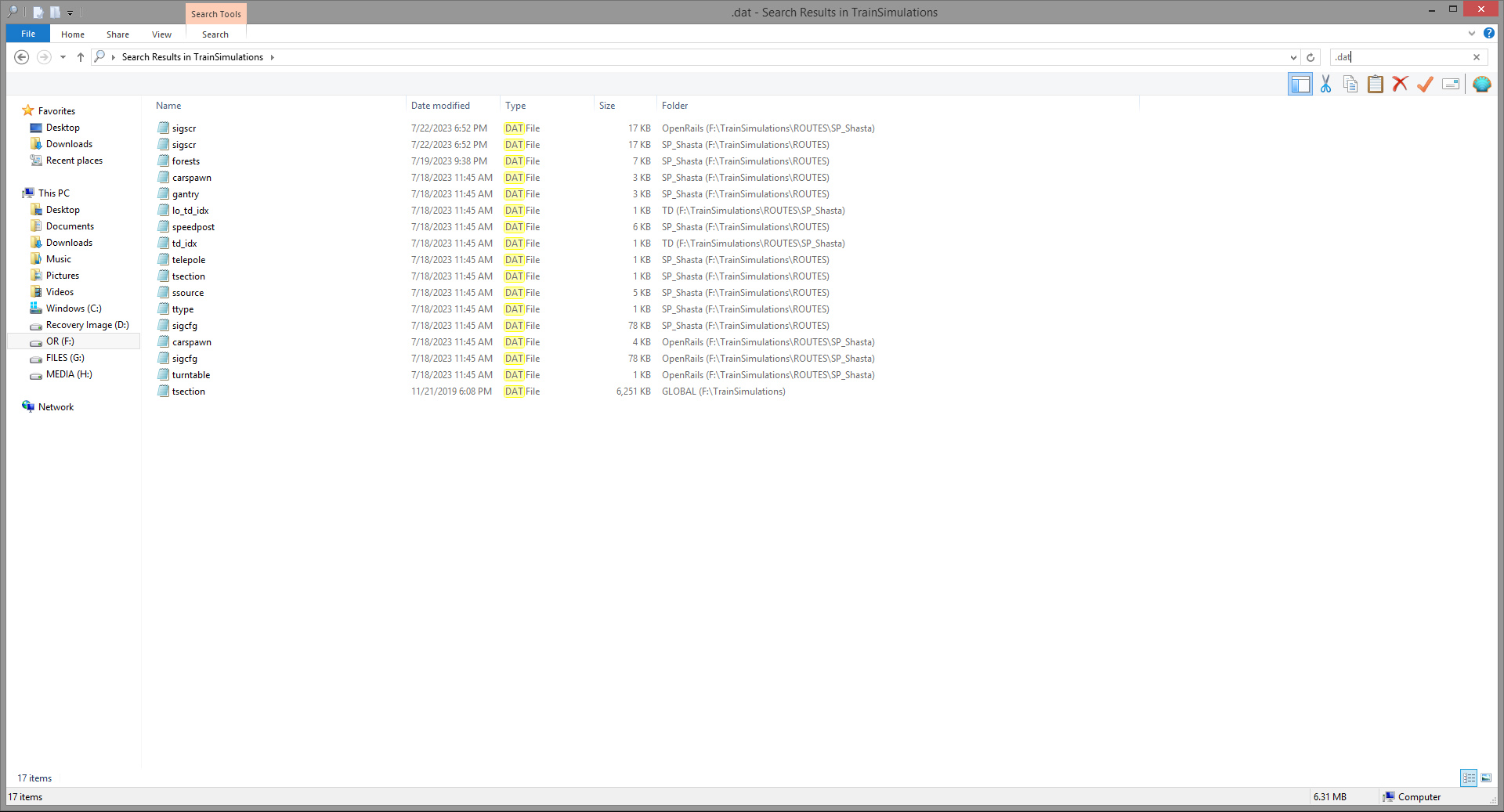
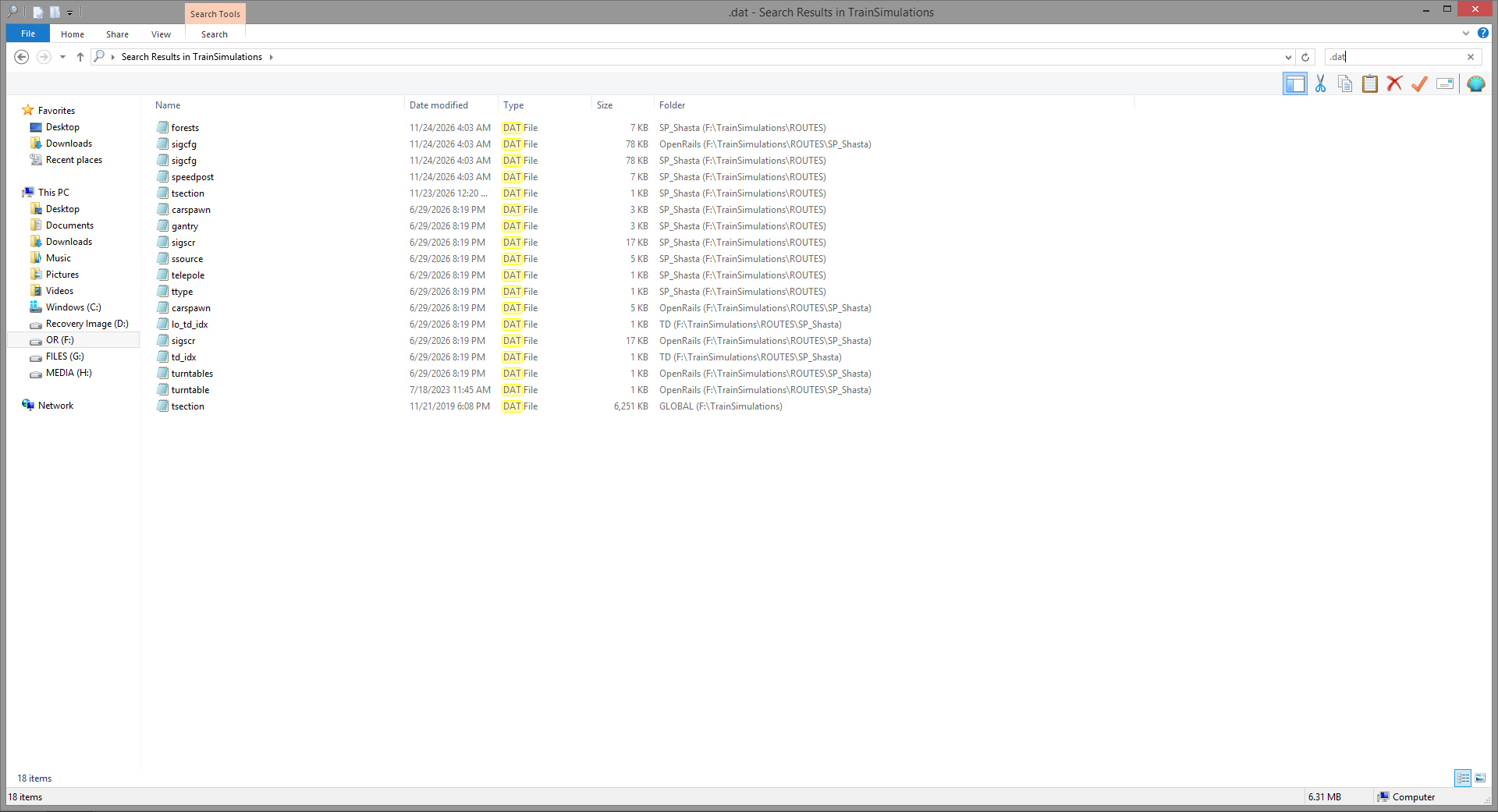
In my downloaded copy of the route I noticed the turntable at Klamath Falls was now just a big hole in the ground, although pre-expansion pack it had appeared correctly. I discovered that in the route's OpenRails folder there was now the original turntable .DAT file PLUS the expansion pack's turntables (note the plural) .DAT file.
Renaming the latest turntables DAT file to turntable and then allowing it to overwrite the original seems to have solved the problem.
Did you copy the route folder over into your own installation folder, or did you let the route install into it's own installation, *including* with the entire Global folder that comes with the expansion? With all of our testing on the current stable version of OR,, so long as you are using the Global folder that comes with the route, the turntable functions (it can actually spin if you use the correct key commands). I would guess that your "solution" likely renders the turntable inoperable (unable to spin).
The turntable functionality relies on modified versions of the ScaleRail turntable shape files so they can be animated. Ideally the ORTS devs should make it so that the turntable doesn't just up and disappear if you don't have the animated version of the turntable shape in your Global filder...
Screenshot (120).png Hi Perry,
Thanks for responding. When I downloaded the route, after inputting the activation code, I got the page shown on the attached screenshot.
I misread the instructions the first time and chose 'SP_Shasta' route as it's mentioned as the content folder whereas what I should have chosen was the TrainSimulations folder.
However you mention a Global folder and when I checked the download there are only two folders, 'Routes' and 'Trains'. There is no Global folder in my download.
Regards,
Nick
( ' boffin0_reprised ' on TikTok )
Cyberpower Desktop with AMD Ryzen 5 CPU /. 16GB RAM /. ATI AMD Radeon RX6700 12GB graphics /. Windows 11 Home 64bit /. RailDriver /. Partridge in a pear tree....
Cyberpower Desktop with AMD Ryzen 5 CPU /. 16GB RAM /. ATI AMD Radeon RX6700 12GB graphics /. Windows 11 Home 64bit /. RailDriver /. Partridge in a pear tree....
Correction: You need to reinstall your original Shasta route with the correct global shapes so you have a clean install of the entire Global folder, THEN install the expansion. If you do that, you will not have to rename any data files, and then the turntable will function.
First, let me say that I'm enjoying the Shasta Route Expansion. I just ran the McCloud Hill Job activity and it is a fun one. The Expansion looks great.
Now, I'm having the same problem with the turntable that is discussed above. Some of the problems that people are having likely stems from the fact that installation instructions are written very poorly, such that it is easy to interpret a couple of the instruction steps in different ways. Specifically, the instructions don't make clear the folder where the installation program should go to install the files. I read the instructions 3 or 4 times and I still had to guess if the installation was to be pointed at the TrainSimulations folder or the SP Shasta folder or the Main Train Simulator root folder (in my case, "1MSTS"). I guessed at pointing it to the TrainSimulations folder, and everything (except the turntable) seems to work correctly. If you read the installation instructions carefully, it is easy to see how confusing the wording of the instruction makes it.
From what I can see, it appears that the installation program did not update the TrainSimulations Global folder, despite the fact that everything else seems to have installed correctly in the correct folders.
Same results here. Just for grins and giggles, I did a fresh install of Shasta using the Trainsimulations install folder name. After installing just the main route, there was only one instance of turntable.dat in the openrails sub-folder. File was dated the same date as many other shasta route files.
After installing the expansion, I now have 2 files, the original Turntable.dat from the main route, and now a newer Turntables.dat (plural) file dated the same date as many other expansion-related files. There never was any conflict with any similarly named file in any global folder. There are no other routes in this installation.
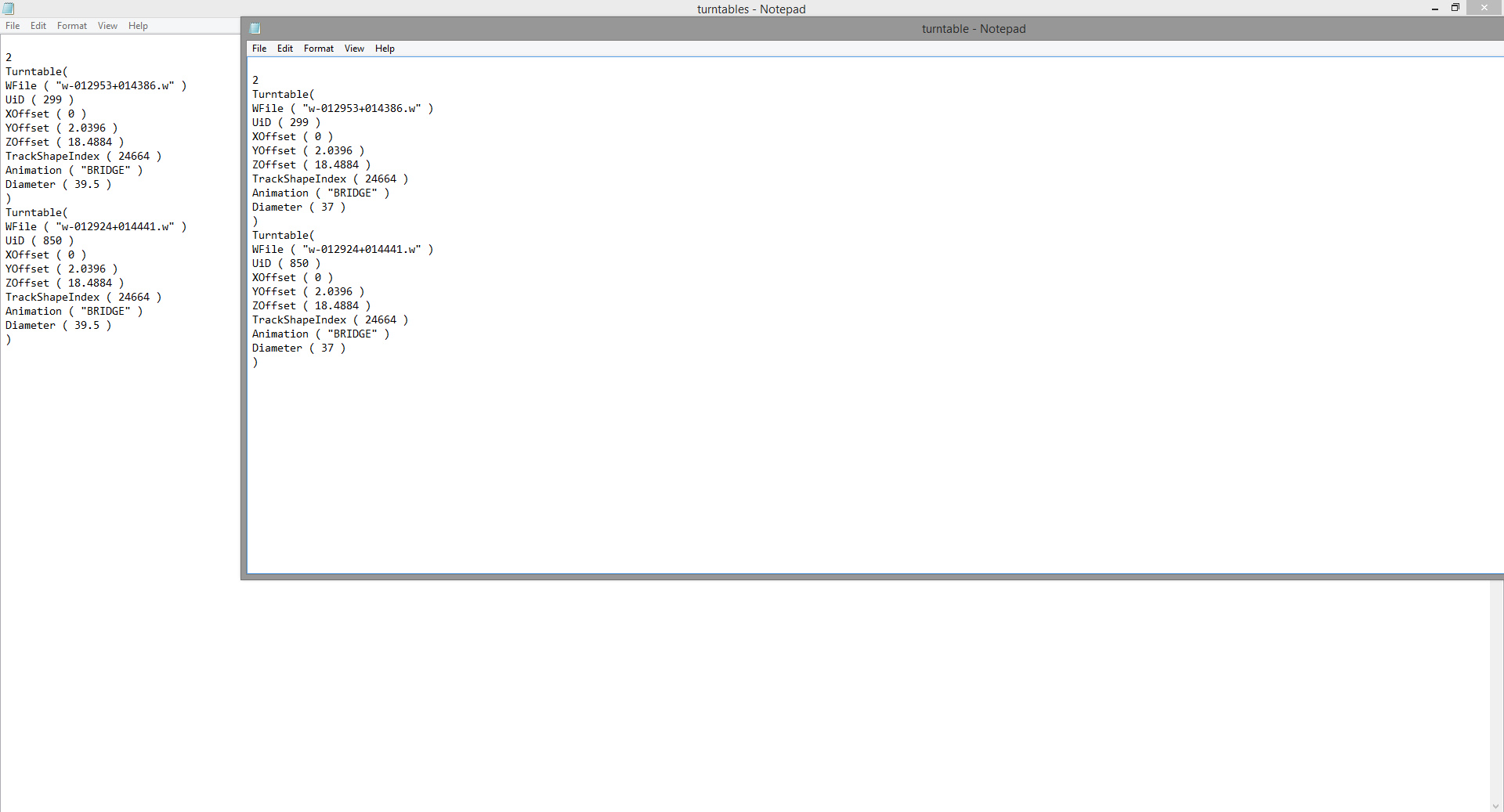
Comparing the two files, they look identical with the exception of the "diameter" value
I solved the problem by deleting the older file added by the core route, and renaming the 'Turntables' added by the expansion to 'Turntable'
We process personal data about users of our site, through the use of cookies and other technologies, to deliver our services, personalize advertising, and to analyze site activity. We do not share information about our users with anyone. For additional details, refer to our Privacy Policy.
By clicking "I UNDERSTAND" below, you consent to our Privacy Policy and our personal data processing and cookie practices as described therein. You also acknowledge that this forum may be hosted outside your country and you consent to the collection, storage, and processing of your data in the country where this forum is hosted.


Comment