New Route Editor

Collapse
This topic is closed.
X
X
 
  • Time
  • Show
Clear All
new posts
  • tooltroll
    Senior Member
    • Jun 2004
    • 126
    • PEI, CA.

    #406
    Dave,

    Yes, just about everything responds the same to movement/rotation commands; Track, buildings, bridges, you name it. If you don't have a wheel, for now you can use the 'T' function to enter translate mode (works the same as 'R' for rotate mode, just select the item and hit T instead of R.) and use the numpad or other keys to nudge things around: http://koniec.org/tsre5/recontrols.html (I think numpad 3 & 9 are the up/down. Try it and see.)

    Comment

    • Shawmut
      Senior Member

      • Oct 2008
      • 548
      • Albuquerque, New Mexico, USA
      • General

      #407
      Originally posted by tooltroll
      Dave,

      Yes, just about everything responds the same to movement/rotation commands; Track, buildings, bridges, you name it. If you don't have a wheel, for now you can use the 'T' function to enter translate mode (works the same as 'R' for rotate mode, just select the item and hit T instead of R.) and use the numpad or other keys to nudge things around: http://koniec.org/tsre5/recontrols.html (I think numpad 3 & 9 are the up/down. Try it and see.)
      Hi Bob,

      Again, thanks very much. I had read a couple of Goku's pages, but not that one. Even if I had I'm not sure I would have guessed that "translate" meant move and object. But now, thanks to you, I know!

      I'd been using CTRL + numpad 8 & 2 to move pivot points up and down; looks like I can do the same with "T" and just about all the other commands as well. That is, until I get out of cheapo mode and buy myself a new mouse

      Dave

      Comment

      • Vince
        6500 Post Veteran

        • Nov 1999
        • 6961
        • Mohave

        #408
        Hi Dave,
        Went to Best Buy about two months back . . . a USB 3 button plus wheel mouse was $9.00! I bought two.

        regards,
        ............Vince ..............
        ...... Author NECv4 .......
        .... LIRR BUILD PHOTOS ....
        ...... Eschew Obsfucation ......

        On the The Statue of Liberty in New York Harbor there is a Tablet. On it is written:
        "Give me your tired, your poor, your huddled masses yearning to breathe free,
        the wretched refuse of your teeming shore, send these, the homeless, tempest-tossed to me,
        I lift my lamp beside the golden door!"

        Comment

        • Shawmut
          Senior Member

          • Oct 2008
          • 548
          • Albuquerque, New Mexico, USA
          • General

          #409
          Originally posted by Vince
          Hi Dave,
          Went to Best Buy about two months back . . . a USB 3 button plus wheel mouse was $9.00! I bought two.

          regards,
          Vince, you shamed even as an irascible a skinflint such as myself into buying a new mouse. I wanted one that had that "ratcheted" feel to the mouse wheel and found a Corsair mouse for $15 at a local Best Buy.

          I couldn't believe how much I've been missing these last few skinflinty years ...

          Cheers,

          David

          Comment

          • Vince
            6500 Post Veteran

            • Nov 1999
            • 6961
            • Mohave

            #410
            David,
            We tend to hold what we know dear. There is no shame.

            regards,
            ............Vince ..............
            ...... Author NECv4 .......
            .... LIRR BUILD PHOTOS ....
            ...... Eschew Obsfucation ......

            On the The Statue of Liberty in New York Harbor there is a Tablet. On it is written:
            "Give me your tired, your poor, your huddled masses yearning to breathe free,
            the wretched refuse of your teeming shore, send these, the homeless, tempest-tossed to me,
            I lift my lamp beside the golden door!"

            Comment

            • NorthernWarrior
              6500 Post Veteran


              • Apr 2007
              • 6922
              • Swindon, England

              #411
              Quick update on the tile extraction and terrain creation. I kind of got this to work, the only problem/bug I could see was that if you set the route up with one start tile in MSTS RGE (as discussed previously if you still want to do some of the work in classic MSTS RE), it does not terraform that original tile. So you still need to fire up DEMEX to correct that. Also not sure if it skips the start tile when processing DM's, too.
              Vern.

              Comment

              • GokuMK
                Senior Member

                • Oct 2015
                • 729
                • Poland

                #412
                So you still need to fire up DEMEX to correct that. Also not sure if it skips the start tile when processing DM's, too.
                Noo, you can just load terrain data for this tile using TSRE "Load Height" button.

                Comment

                • NorthernWarrior
                  6500 Post Veteran


                  • Apr 2007
                  • 6922
                  • Swindon, England

                  #413
                  Noted for future, thanks Goku!
                  Vern.

                  Comment

                  • Marc87dk
                    Member
                    • Jul 2010
                    • 34

                    #414
                    I have encountered a strange problem with the new route editor I can build a new route just fine, as well as edit existing routes. The problem is that as soon as I press "save" and leave the editor, all the new tracks vanish from the TDB file. I have two options: either load the MSTS Route Editor and rebuild the database or go back into the new editor and manually insert each track into the database with the Z-button. But then, if I save and leave the editor, the tracks will once again delete themselves from the TDB. I have no idea what caused this problem. It just suddenly appeared out of the blue, and even when I make a complete re-install of MSTS, the problem is still there. I am totally lost and have no idea how to fix this problem.

                    Comment

                    • Marc87dk
                      Member
                      • Jul 2010
                      • 34

                      #415
                      Update: Problem fixed =)

                      Comment

                      • Shawmut
                        Senior Member

                        • Oct 2008
                        • 548
                        • Albuquerque, New Mexico, USA
                        • General

                        #416
                        I found a great route to learn Goku's new route editor; it's called "3irty 5ive" and can be found on the uktrainsim f/l. It's exactly one tile big, perfect for fiddling around with the various functions.

                        Speaking of which, I have a couple of quick questions regarding terrain and gaps:

                        1. All of the tunnels on this route are filled with terrain at the mouth openings, see below:
                        1.jpg

                        But when I use the Gap+ button to punch a hole in said tunnel, surrounding terrain gets deleted as well and I end up with great white voids. Is there a way to program the editor so that the hole it punches is limited strictly to the interior of the tunnel mouth?
                        2.jpg

                        2. Selecting a track piece and using the "F" key to have the terrain lift to the track object is a wonderful tool, but it too paints a fairly broad brush stroke. Sometimes you need to be surgical and lift or lower terrain in small amounts. In the pic below, I want to raise the terrain up to the roadbed of this incline (see arrows in pic below), but leave the surrounding terrain at the level the author intended. How can I do this?
                        3.jpg

                        Regards,

                        David

                        Comment

                        • ebnertra000
                          1500 Post Veteran


                          • Jun 2013
                          • 1778
                          • Minnesota

                          #417
                          David,

                          That is about as fine a control as anyone has over opening holes in the terrain. Your only real option is to cover up the holes around the edges of the tunnel portals.

                          As for terraforming, play around with the embankment settings in the terrain section. Your best bet is the size slider

                          Comment

                          • Shawmut
                            Senior Member

                            • Oct 2008
                            • 548
                            • Albuquerque, New Mexico, USA
                            • General

                            #418
                            Originally posted by ebnertra000
                            David,

                            That is about as fine a control as anyone has over opening holes in the terrain. Your only real option is to cover up the holes around the edges of the tunnel portals.

                            As for terraforming, play around with the embankment settings in the terrain section. Your best bet is the size slider
                            Thanks, Travis!

                            Regards,

                            David

                            Comment

                            • geepster775
                              2500 Post Veteran


                              • Sep 2006
                              • 2846
                              • .
                              • General

                              #419
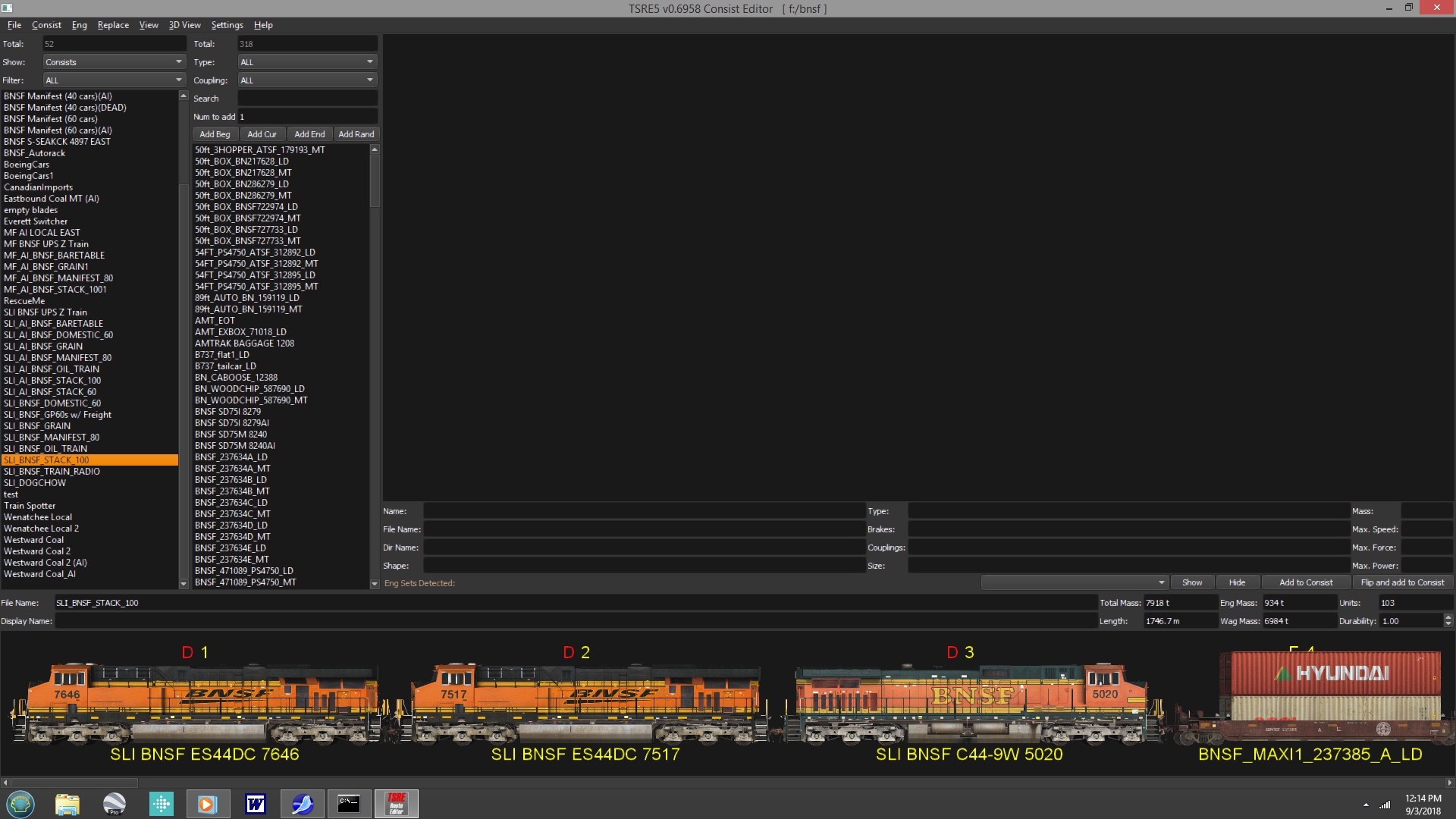
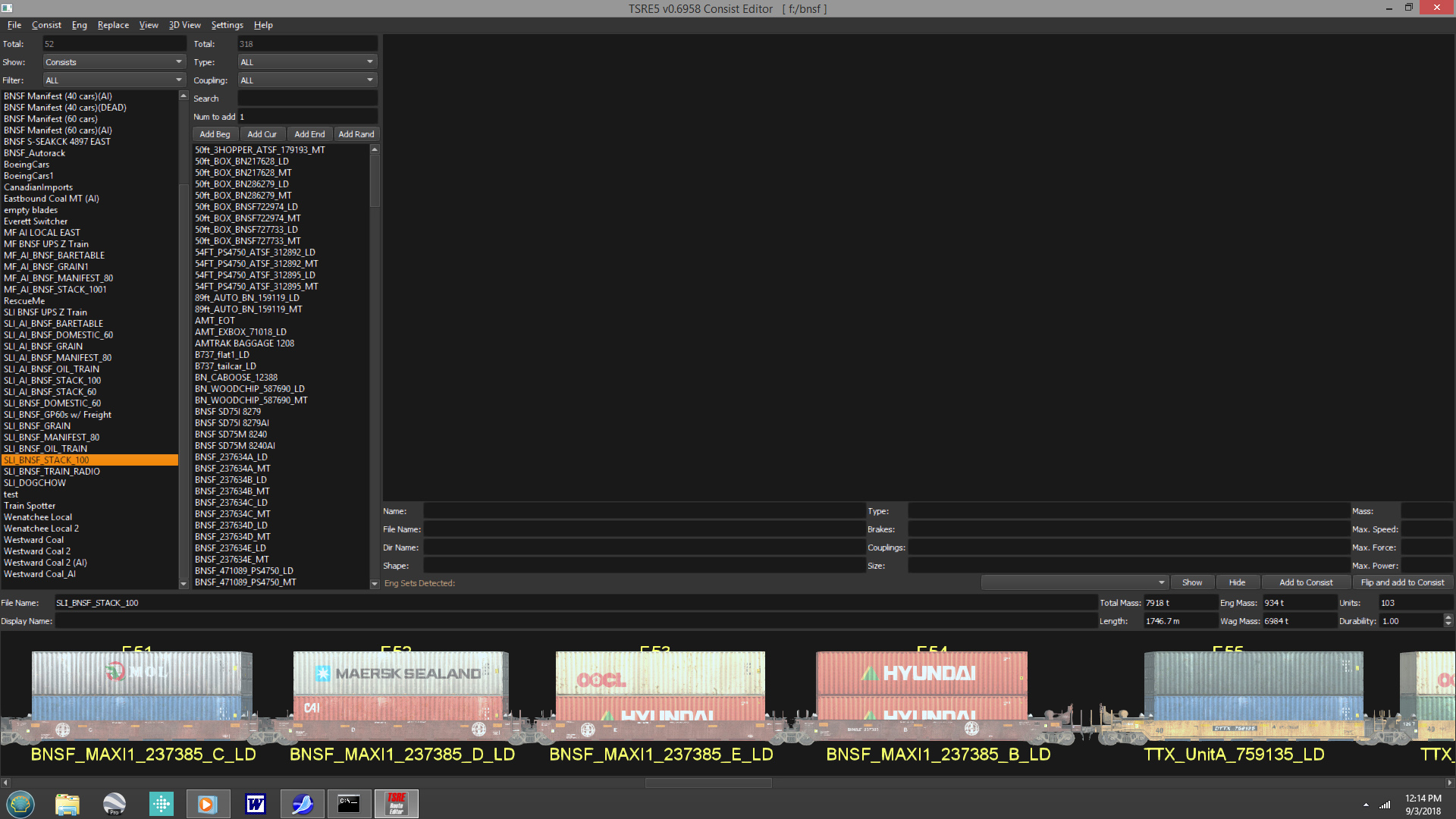
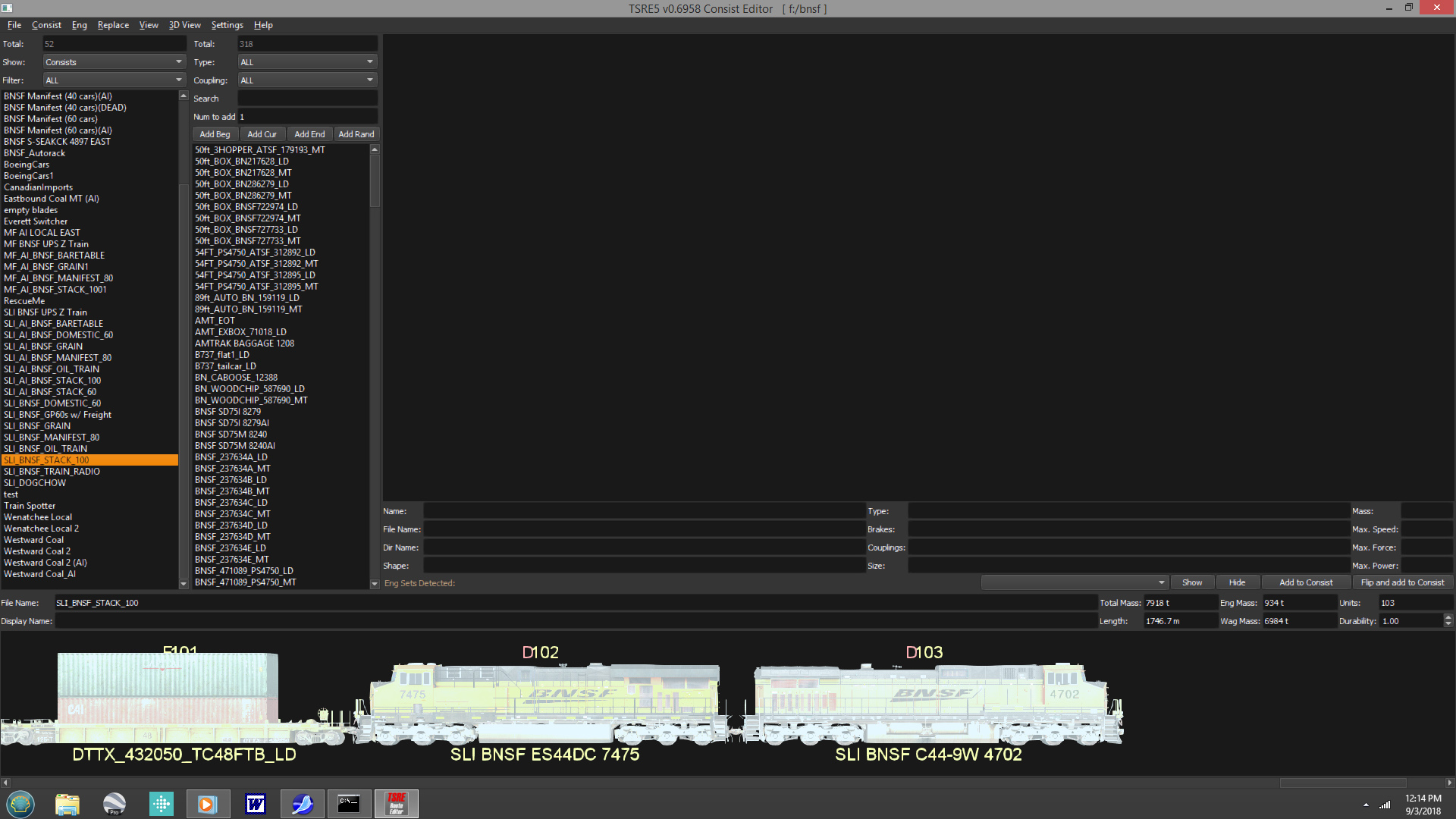
                              Can anyone explain this phenomena with the TSRE consist editor where each picture gets progressively brighter? This is the version of the consist editor downloaded from Trainsimulations website.


                              Head end


                              About mid-consist


                              DPU

                              My Open Rails videos https://www.youtube.com/@lakecities3663/videos

                              Comment

                              • conductorchris
                                2500 Post Veteran

                                • Mar 2010
                                • 2905
                                • Vermont
                                • General

                                #420
                                Happened to me. Seems to happen when my computer gets too hot, which makes me think something isn't going quite right with the video card. But that is armature speculation.
                                Christopher

                                Comment

                                Working...