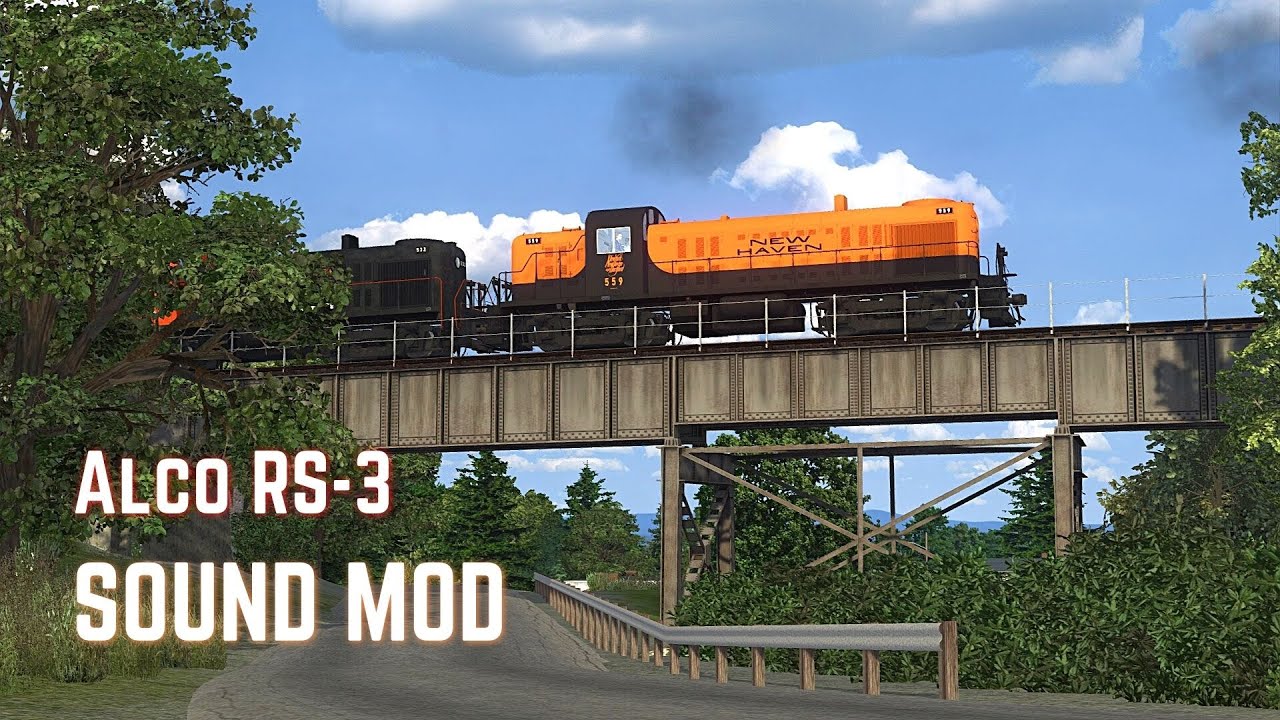
For the love of Alcos (RS-3)

Collapse
X
 
  • Time
  • Show
Clear All
new posts
  • pwillard
    3000 Post Veteran


    • Nov 1999
    • 3070
    • Cumming Ga
    • ORTS

    #91
    Now that is a very cool tip!
    http://www.railsimstuff.com
    Just Blender now, 3DCrafter only when I have to.
    Formerly The Keystone Works (All Permissions Granted)
    Things I work on: https://github.com/pwillard

    Comment

    • scottb613
      2500 Post Veteran


      • Apr 2003
      • 2848
      • Downeast Maine (soon)
      • ORTS

      #92
      Originally posted by Erick_Cantu
      For indicator lamps, I use a 2-part multi-material. The first material is unlit and has unlit textures to match, while the second is set to halfbright and has lit textures. Typically, I arrange my lit/unlit parts on the top and bottom half of a single map so that a simple UVW transposition of -.5 can be applied to the lit parts:

      I then make 2 copies of whatever needs to be lit, and swap them with a 2-frame animation between lit and unlit:

      To examine the details of this implementation, see the 70-tonner and 25-tonner models. This is how the gauge and indicator lighting works.
      Hi Erick,

      Wow - that seems like a GREAT solution - thanks - I do have your locomotive, but I only tested it briefly as it didn't fit with my genre. I'll load it up and take a look more closely. I'll give this a try. Your results look very realistic.

      You've always seemed pretty easy going with your creations - I already used your beautiful coupler and air hoses from your tanker kit on the Alco - would you mind if I used your texture sheet for gauges - it would save me a massive amount of time from trying to hand draw them myself. Full disclosure if/when I get this ready for public release. If you'd rather I don't - fully understand.

      Would you know of an up-to-date published list of all the tags we can use for various 3D Cab animations?

      Regards,
      Scott

      <a href=https://www.trainsim.com/forums/filedata/fetch?filedataid=80663&type=full title=thumb_80663.png >thumb_80663.png</a>​ My Blender Models

      Comment

      • SD40-2
        1000 Post Veteran


        • May 2010
        • 1011
        • Metairie, Louisiana
        • English, C++, HTML
        • General

        #93
        Originally posted by scottb613
        I don't think my original source had Dynamic Brakes - so perhaps I just leave the lever off?
        Leave the lever on. Before automatic transition was developed, that'd also be used for switching from series to parallel connections on the traction motors, and even after a unit was converted to automatic transition, they'd still have the lever for compatibility reasons .
        Parker B. - A Misplaced Midwesterner.
        Also known as Mr. Two Bits and Mr. Squarewheels.

        Comment

        • Erick_Cantu
          1000 Post Veteran


          • Jun 2004
          • 1041
          • Brighton, MA 02135
          • General

          #94
          You can use whatever you want, sure. Peter has a list of tags on the Coals to Newcastle site.
          Erick Cantu
          North American V-Scale
          Facebook | Email
          Those who would give up essential liberty, to purchase a little gasoline, deserve neither liberty nor gasoline.

          Comment

          • scottb613
            2500 Post Veteran


            • Apr 2003
            • 2848
            • Downeast Maine (soon)
            • ORTS

            #95
            Originally posted by SD40-2

            Leave the lever on. Before automatic transition was developed, that'd also be used for switching from series to parallel connections on the traction motors, and even after a unit was converted to automatic transition, they'd still have the lever for compatibility reasons .
            Hi Parker,

            Thanks for the info - done - updated my previous image - I will need help with range of motion and switch positions for normal run positions.


            Originally posted by Erick_Cantu
            You can use whatever you want, sure. Peter has a list of tags on the Coals to Newcastle site.
            Much appreciated - I looked up Soo for you - it seems the only RS3 image I could find was one with a lot of extra hardware on the roof.

            Regards,
            Scott

            <a href=https://www.trainsim.com/forums/filedata/fetch?filedataid=80663&type=full title=thumb_80663.png >thumb_80663.png</a>​ My Blender Models

            Comment

            • superheatedsteam
              Senior Member


              • Jun 2004
              • 764
              • Perth, WA, Australia.

              #96
              If you have the OR source code, the cab controls can also be found in the Orts.Formats.Msts>CabViewFile.cs file.
              ​

              Comment

              • scottb613
                2500 Post Veteran


                • Apr 2003
                • 2848
                • Downeast Maine (soon)
                • ORTS

                #97
                Originally posted by superheatedsteam
                If you have the OR source code, the cab controls can also be found in the Orts.Formats.Msts>CabViewFile.cs file.
                ​
                Hi Marek,

                Thanks for that as well.

                Hmm - who has the source code for a working 3D Cab on GitHub - I know - I know...


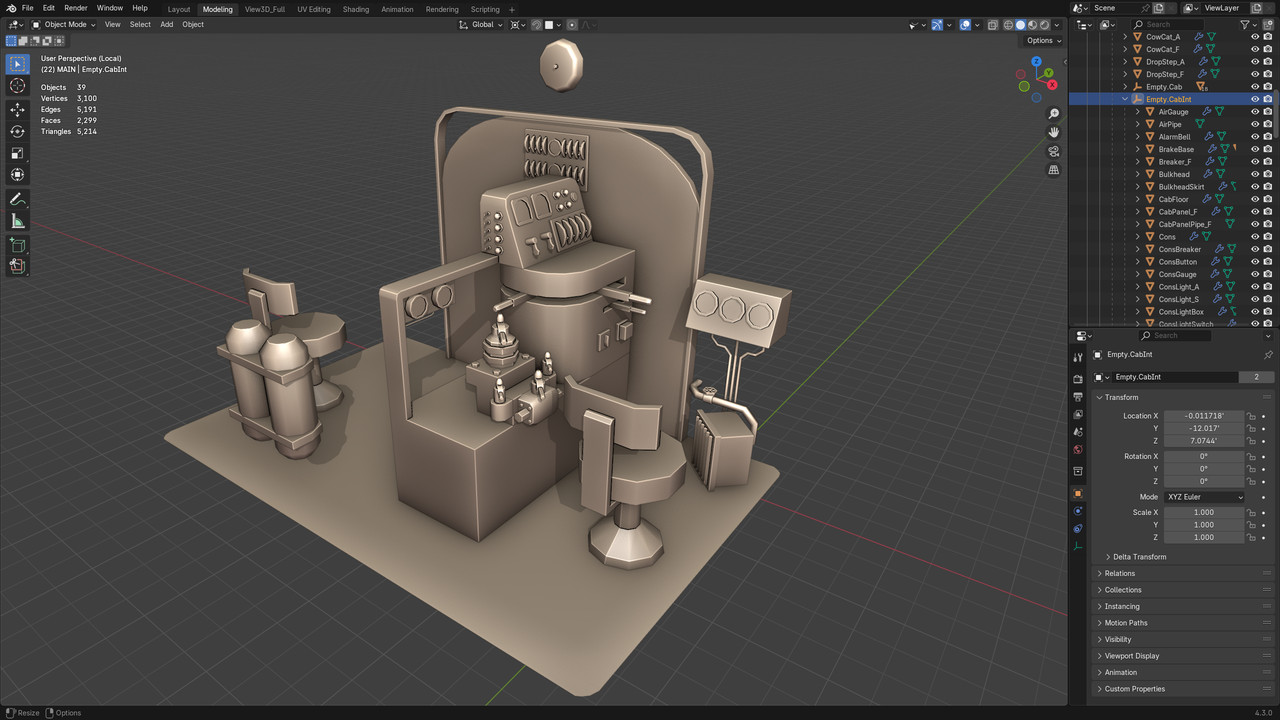
                I think I'm gonna call this a wrap on the cab mesh - haha. I have the primary controls built. Unless someone can point out a major problem or missing significant detail - time to start the next phase. I know I am missing a couple buttons and lights on the forward breaker panel.

                Now - I think I'll try to get the primary controls working - before I start UV Mapping.

                Honestly - even the untextured shapes look so good in the sim - as there is far more detail than I'm used to seeing in the cabs I run.

                One surprise - after looking at tons of photos - all the cabs have wood floors - I had initially threw down a "linoleum" texture - I've since changed it to wood plank.


                3D Cab


                Regards,
                Scott
                <a href=https://www.trainsim.com/forums/filedata/fetch?filedataid=80663&type=full title=thumb_80663.png >thumb_80663.png</a>​ My Blender Models

                Comment

                • scottb613
                  2500 Post Veteran


                  • Apr 2003
                  • 2848
                  • Downeast Maine (soon)
                  • ORTS

                  #98
                  Originally posted by superheatedsteam
                  If you have the OR source code, the cab controls can also be found in the Orts.Formats.Msts>CabViewFile.cs file.
                  ​
                  Hi Marek,

                  I'm looking at your beautiful SD40 cab. Starting simple - THROTTLE:0:0 - I am assuming this is the proper tag for the throttle - I see you are using 8 key frames of animation - I had read that we only need two key frames - Min and Max - no?

                  Is this correct for an 8-notch throttle - would this go in a cvf?

                  Code:
                  SIMISA@@@@@@@@@@JINX0D0t______
                  
                  
                  CabView (
                      Type ( THROTTLE_LEVER )
                      Position ( 320 140 70 70 )    // Adjust these values as needed for your cab layout
                      Graphic ( throttle.ace )      // Ensure this graphic exists in your cab textures folder
                      Style ( NOTCHED )
                      MouseControl ( 1 )
                      NumNotches ( 8 )
                  
                      Notch ( 0.125 0 )
                      Notch ( 0.25 1 )
                      Notch ( 0.375 2 )
                      Notch ( 0.5 3 )
                      Notch ( 0.625 4 )
                      Notch ( 0.75 5 )
                      Notch ( 0.875 6 )
                      Notch ( 1 7 )
                  )
                  ​​
                  This is my first gauge - ever - complete newb. If I get through one - I'm sure I'll be able to replicate for the other controls.

                  I see this is what you have set:

                  Code:
                          Lever (
                              Type ( THROTTLE LEVER )
                              Position ( 500 500 500 500 )
                              Style ( NOT_SPRUNG )
                              MouseControl ( 1 )
                              NumFrames ( 16 2 8 )
                              NumPositions ( 9 8 7 6 5 4 3 2 1 0 )
                              NumValues ( 9 0 0.125 0.25 0.375 0.5 0.625 0.75 0.875 1 )
                              Orientation ( 0 )
                              DirIncrease ( 1 )
                              ScaleRange ( 0 1 )
                          )​
                  Regards,
                  Scott
                  Last edited by scottb613; 12-13-2024, 20:33.
                  <a href=https://www.trainsim.com/forums/filedata/fetch?filedataid=80663&type=full title=thumb_80663.png >thumb_80663.png</a>​ My Blender Models

                  Comment

                  • scottb613
                    2500 Post Veteran


                    • Apr 2003
                    • 2848
                    • Downeast Maine (soon)
                    • ORTS

                    #99
                    Hi Folks,

                    OK - Diesel Guys - let's get this party started.

                    My throttle as illustrated is sitting at the 90. What degree of rotation would you call for the Min Max positions. Diesels - uggh.


                    Regards,
                    Scott
                    <a href=https://www.trainsim.com/forums/filedata/fetch?filedataid=80663&type=full title=thumb_80663.png >thumb_80663.png</a>​ My Blender Models

                    Comment

                    • superheatedsteam
                      Senior Member


                      • Jun 2004
                      • 764
                      • Perth, WA, Australia.

                      #100
                      The details of the CVF I got from either the MSTS default SD40-2 model or another model, I don't recall exactly and they are probably wrong. On reflection it should be NOTCHED instead of NOT_SPRUNG. I don't think you need Graphic or NumFrames values if you only have a 3D cab view.

                      Note that Position (500 500 500 500) controls how sensitive the lever is to mouse input movements.

                      For the throttle I used 9 key frames of animation, with 0 being the 'off' position. Interpolation is constant.

                      For an independent brake handle just 2 key frames is enough, probably with liner interpolation.

                      If the RS3 throttle control is like the M636, then the throttle lever should be rotated all the way forward to be in the idle position. I would also be interested to know what the rotation values are for the ALCO throttle and selector levers as I also have a M636 model I am working on.

                      Hope this helps.

                      Cheers,

                      Marek.
                      ​

                      Comment

                      • scottb613
                        2500 Post Veteran


                        • Apr 2003
                        • 2848
                        • Downeast Maine (soon)
                        • ORTS

                        #101
                        Originally posted by superheatedsteam
                        The details of the CVF I got from either the MSTS default SD40-2 model or another model, I don't recall exactly and they are probably wrong. On reflection it should be NOTCHED instead of NOT_SPRUNG. I don't think you need Graphic or NumFrames values if you only have a 3D cab view.

                        Note that Position (500 500 500 500) controls how sensitive the lever is to mouse input movements.

                        For the throttle I used 9 key frames of animation, with 0 being the 'off' position. Interpolation is constant.

                        For an independent brake handle just 2 key frames is enough, probably with liner interpolation.

                        If the RS3 throttle control is like the M636, then the throttle lever should be rotated all the way forward to be in the idle position. I would also be interested to know what the rotation values are for the ALCO throttle and selector levers as I also have a M636 model I am working on.

                        Hope this helps.

                        Cheers,

                        Marek.
                        ​
                        Hi Marek,

                        THANKS - much appreciated - time to get out of Blender and do some research to get a better understanding of how this all works. I’ve animated the rods on a bunch of steam locomotives - so animation shouldn’t be an issue - just piecing it all together with the configs. I still have plenty of material I need to go through on the prototype.

                        I had to look up M636 - very cool - is that a “Century”. I hope you have a good sound file - they are seriously hard to come by. Had it in the back of my head to possibly do an early GE for the Sandpatch when that comes out - it’s so cool being able to build whatever you want - I’m really surprised more of aren’t doing it. LOL - I spend far more time modeling than I do running trains - although I enjoy both.

                        Regards,
                        Scott
                        <a href=https://www.trainsim.com/forums/filedata/fetch?filedataid=80663&type=full title=thumb_80663.png >thumb_80663.png</a>​ My Blender Models

                        Comment

                        • pwillard
                          3000 Post Veteran


                          • Nov 1999
                          • 3070
                          • Cumming Ga
                          • ORTS

                          #102
                          You know... Looking at *another simulator* might help too...

                           
                          http://www.railsimstuff.com
                          Just Blender now, 3DCrafter only when I have to.
                          Formerly The Keystone Works (All Permissions Granted)
                          Things I work on: https://github.com/pwillard

                          Comment

                          • scottb613
                            2500 Post Veteran


                            • Apr 2003
                            • 2848
                            • Downeast Maine (soon)
                            • ORTS

                            #103
                            Originally posted by pwillard
                            You know... Looking at *another simulator* might help too...
                            Hi Pete,

                            Hah - always helps to see how someone else does it - THANKS. Looks like the throttle doesn't come back very far in 8.

                            We need that cab camera - relative head movement - so bad... It adds a whole new dimension to the sim.

                            Their Mountain Sub is the most beautiful route I've ever run - wish the physics were better and had some better content than SD35's. The 35's look so stubby. I tried painting the default SD40 but the model has so many issues it's not worth the time.

                            Regards,
                            Scott

                            <a href=https://www.trainsim.com/forums/filedata/fetch?filedataid=80663&type=full title=thumb_80663.png >thumb_80663.png</a>​ My Blender Models

                            Comment

                            • superheatedsteam
                              Senior Member


                              • Jun 2004
                              • 764
                              • Perth, WA, Australia.

                              #104
                              I think I'm using the ALCO251X.ZIP sound set from the library here, but there are a number of other ALCO sound sets also available.

                              The only time I spend in the simulator is when I'm testing my models, and sounds are of little importance to me.
                              ​
                              Originally posted by scottb613
                              - it’s so cool being able to build whatever you want - I’m really surprised more of aren’t doing it.
                              I suspect its because it takes a lot of time and effort learning new concepts in order to build a 3D model, texture it, and then get it working in a game engine. Of those who do start, far fewer finish or post of their accomplishment.
                              ​

                              Comment

                              • pwillard
                                3000 Post Veteran


                                • Nov 1999
                                • 3070
                                • Cumming Ga
                                • ORTS

                                #105
                                I may be S L O W... but sometimes... though rarely, I finish something.
                                http://www.railsimstuff.com
                                Just Blender now, 3DCrafter only when I have to.
                                Formerly The Keystone Works (All Permissions Granted)
                                Things I work on: https://github.com/pwillard

                                Comment

                                Working...