


I wonder how well this would work on the MEC Mountain Sub, so I don't have to painstakingly do it by hand with various tree types. Hmm.
-
-Shawn K-
MEC Mountain Subdivision - Trackwork 70%, Scenery 35%
-
Yep, going to give it a try on Packerland as well, which is 90% forested...If you like what you see here at Trainsim.com, be it the discussions and knowledge in the forums, or items available in our library, I hope you'll consider a paid membership to help support keeping the site operating.... Thanks!Comment
-
Hi Folks,
Just a peek behind the curtain - for those who haven't noticed the buttons on the UI. The performance trick I alluded to - my "secret sauce" - when planted - they are individual trees - I then bake every 4x4 patch block on a tile - into a single PolyVeg shape. No matter how many trees are in it - 65,000 trees on a tile render down to just 16 PolyVeg shapes. The functions are already built into my development version, and they work really well - see the UI images. The green cube (note my new 3D object shader) floating in the air represents a "baked" PolyVeg tile. You can see them easily - and when clicked it selects all 16 baked patch blocks to delete them all at once - if you want to try it again. I also added a "Hack" to delete ALL baked PolyVeg assets at once for a clean slate.
I tested in ORTS - and you do not get blocks popping into and out of view - it paints the individual trees one at a time as you come within view distance range. No impact on frame rate for me - with hundreds of thousands of trees - a huge credit to whomever built the rendering engine and instancing into ORTS.
I am pretty stoked on this new function. As baking opens all kinds of doors - like wires on telephone poles and terrain following fence lines derived from procedural shapes.
Regards,
ScottComment
-
Hi Folks,
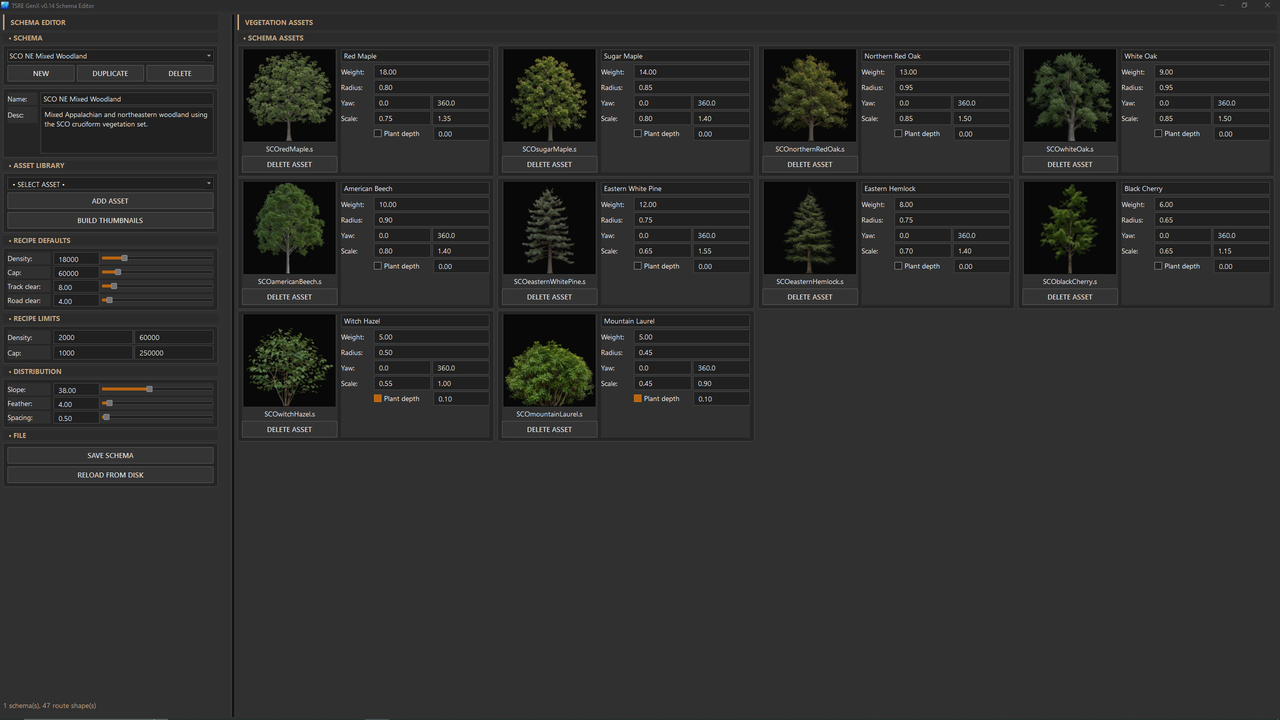
Just a preview of my Vegetation Schema Edittor.
The old way of making a forest:
Code:SIMISA@@@@@@@@@@JINX0F0t______ 1 Forest ( "SCO_TreeOak1A" "SCO_TreeOak1A.dds" 41.0f 30.0f 0.75f 1.25f )
The TSRE GenX way of making a forest:
Regards,
ScottComment
-
Can't wait to try it.
Sent from my SM-S911U using Tapatalk
If you like what you see here at Trainsim.com, be it the discussions and knowledge in the forums, or items available in our library, I hope you'll consider a paid membership to help support keeping the site operating.... Thanks!Comment
-
Comment
-
Thanks, I’ll just wait on the public release... working on a deadline project and don’t have a lot of spare time the next few weeks...
Sent from my iPad using TapatalkIf you like what you see here at Trainsim.com, be it the discussions and knowledge in the forums, or items available in our library, I hope you'll consider a paid membership to help support keeping the site operating.... Thanks!Comment
-
Hi Folks,
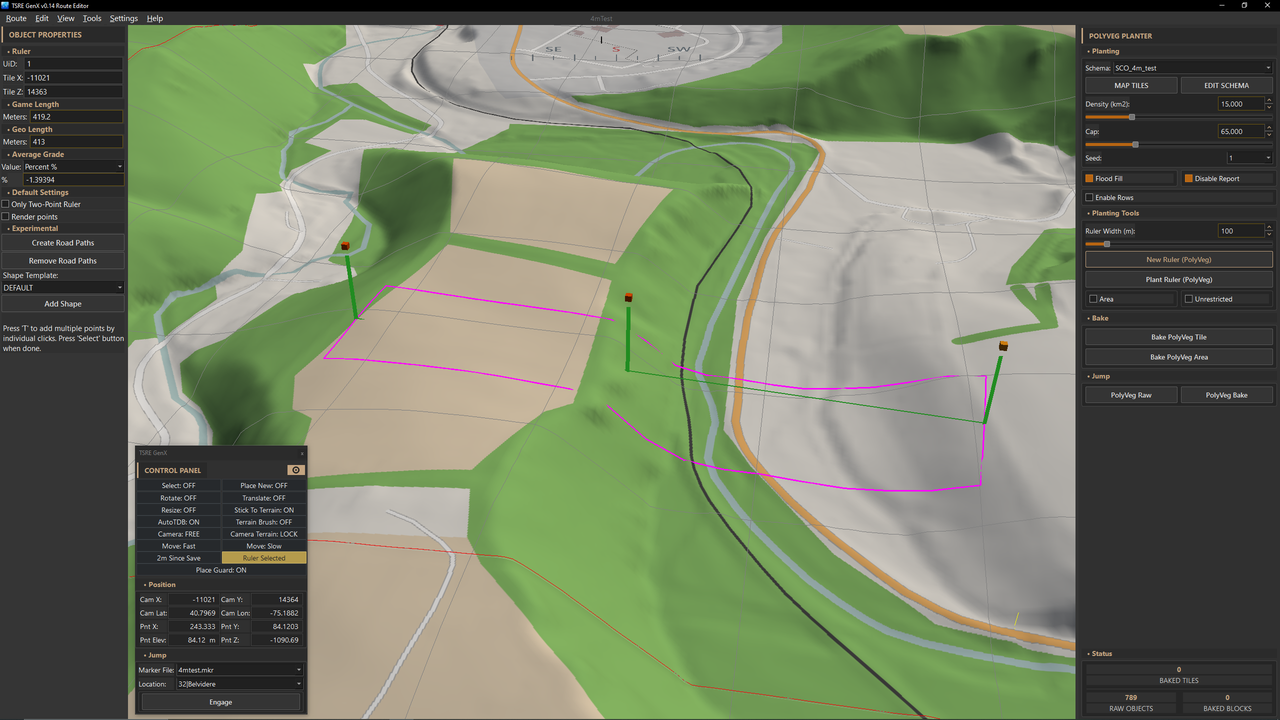
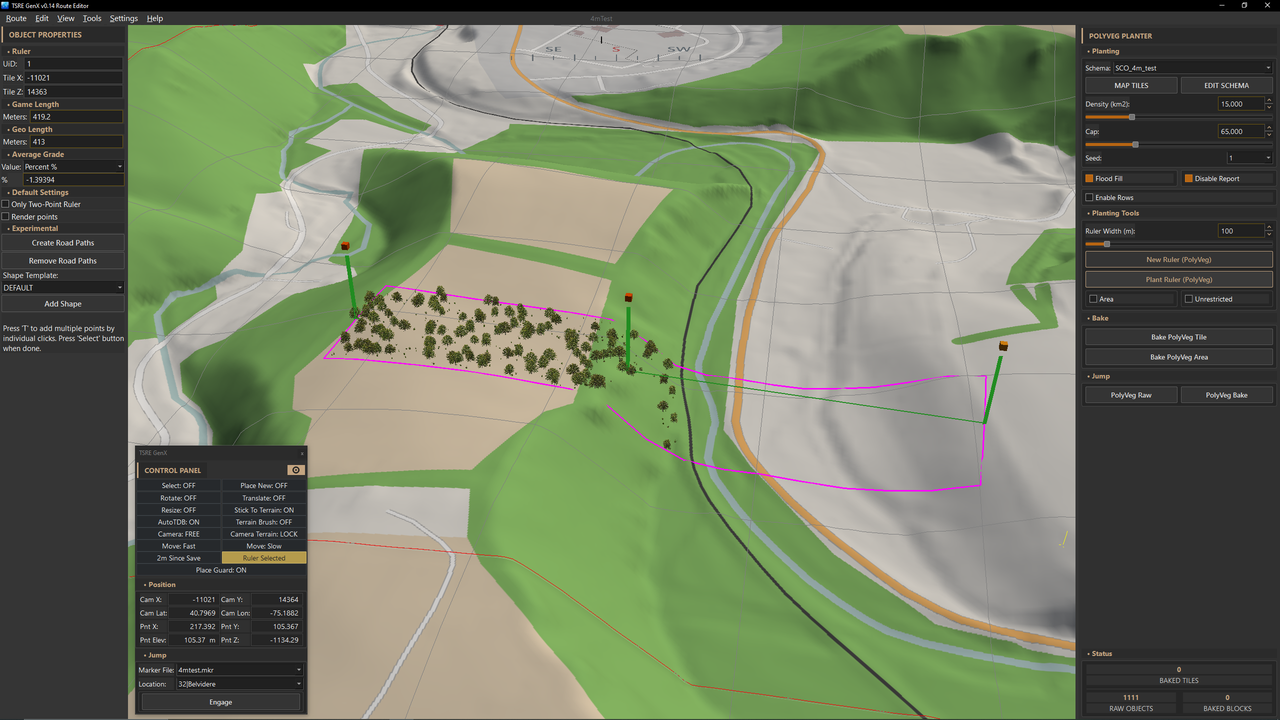
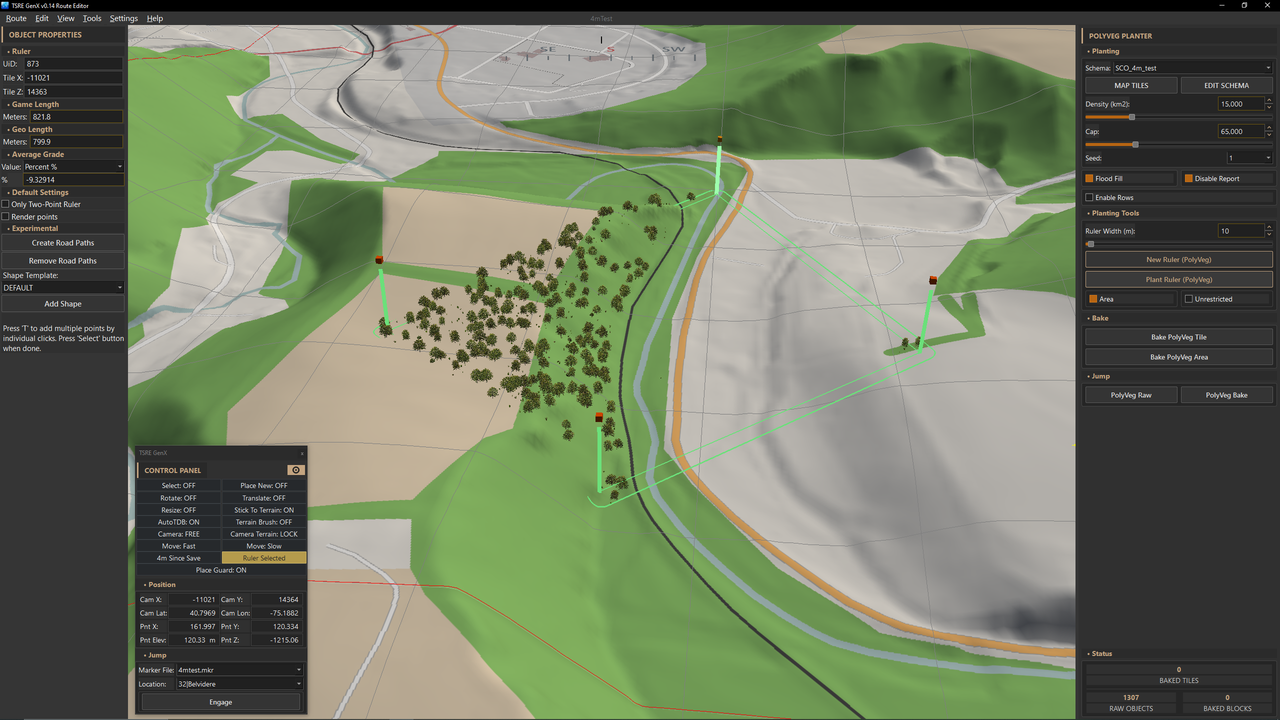
The PolyVeg ruler gives another way to define the planting area while still respecting the OSM landclass and exclusion data supplied by LIDEX. Set the Ruler Width, select Place Ruler, and click the terrain to lay out the control points. In its basic mode, PolyVeg plants only where the ruler crosses valid mapped vegetation landclass. Permanent water, roads, track, buildings, developed land, and the normal TrackDB/RoadDB clearances remain excluded.
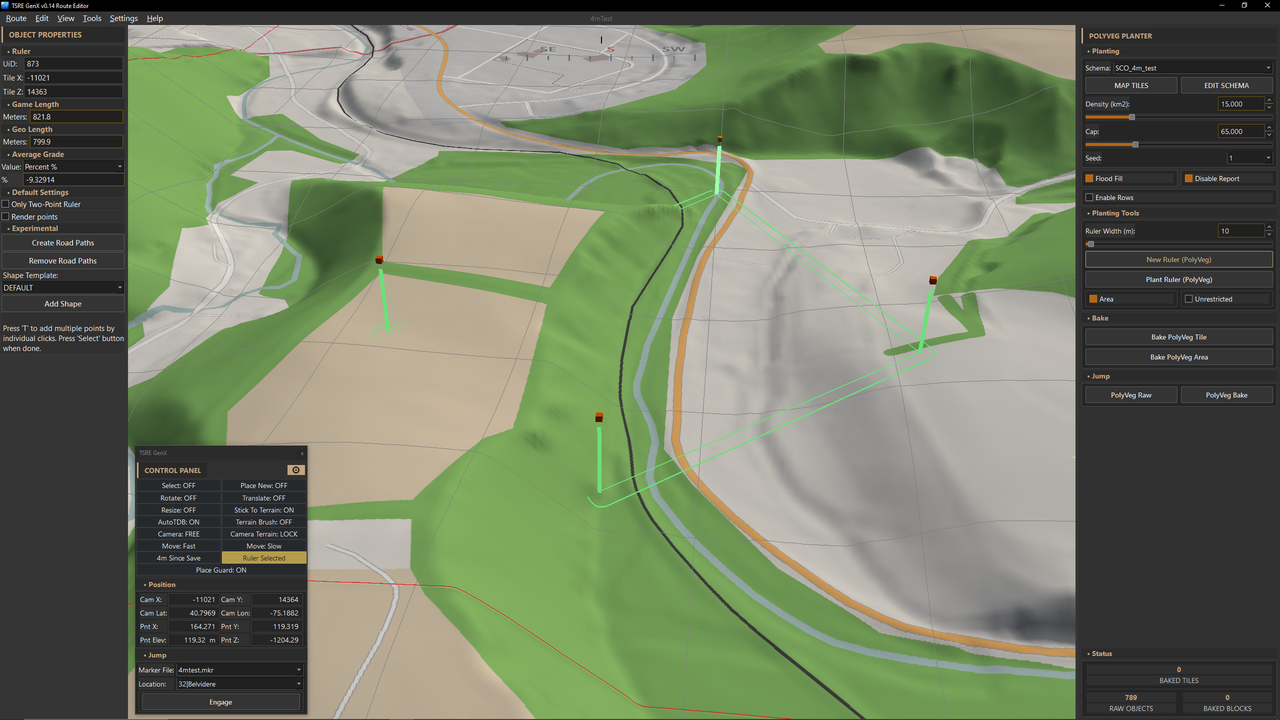
The regular ruler creates a corridor centred on the ruler line, using the selected width. The Area option changes it into a closed outline: the complete polygon interior is used, with Ruler Width providing an additional exterior buffer. Set the width to zero when only the outlined area is wanted. Planting remains locked to the world tile containing the first ruler point.
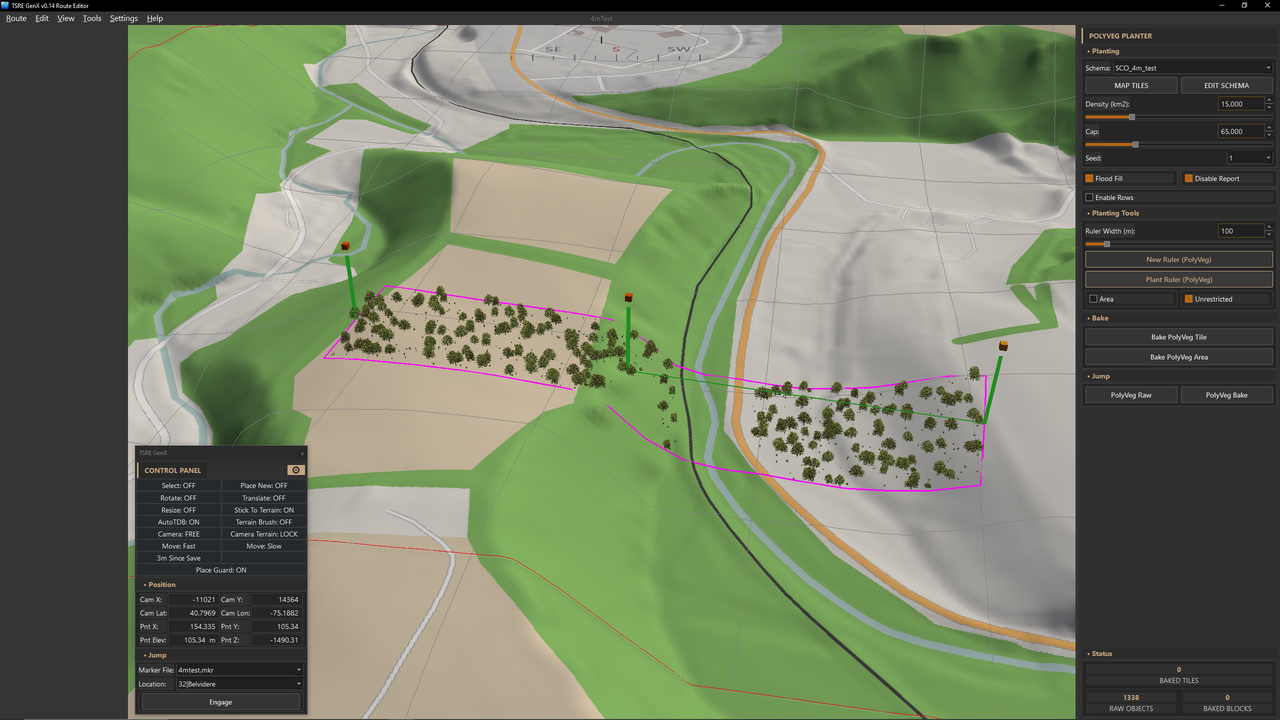
Unrestricted removes the requirement for the ruler to overlap mapped vegetation landclass, making it useful where OSM coverage is missing or incomplete. It does not remove the exclusions. Water, transport, buildings, developed land, slope limits, and TrackDB/RoadDB clearance rules are still respected.
PolyVeg Ruler:
PolyVeg Ruler planting respecting landclass:
PolyVeg Ruler unrestriced ignoring landclass:
PolyVeg Ruler (Area Mode):
PolyVeg Ruler (Area Mode) planting respecting landclass:
Regards,
ScottComment


Comment