


 NAVS FreeWare TanksCars( Modern OR MSTS Default RePlaceMent ) How-To
Yeah, that's how to properly install. I read where once more if viewed in SFM that some Textures wouldn't render correctly because of the Aplha( in this case seems to only be the couples & Trucks only ). This Newer way of Installing seems a bit tricky( but, like most things do it enough & it'll catch on, for it's to save time+Hardware space ). Anyway, one thing I did like I do alot's I went ahead & used SFM to see not only what I could see, but which Textures are what & hopefully where they go via the paths per folders. That helped alot! I also viewed un-compressed .s & re-compressed it to view what each stated. But, I still can't get TSRE to Display ANY of The Files? Open Rails( Folder ): NAVS_Common, The NAVS_GATX_GATC_T106_c2001 for( NAVS_Carbody_2048_1_T, NAVS_Carbody_2048_2_T, & NAVS_Decal_1024_32_T ), ZSeries( TRUCK_100T_Z_T, US2Tanks_Placard_T ), include( AAR Type E Couple ), USCHEMICAR(?, has its own stuff ), BNSF_Freight_c2001( Tank_GATC_23500 ), Tank_GATC_23500 ( shapes,WAGS, NAVS CARBODY+DECAL ) ZSERIES, PLACARDS,INCLUDE, DECALS. Now, think the decals in SFM aren't Aplhaed either, placing right, or something. That's another part need help with. Anyway, any help will do, thanks.
-
-
Hi...
I'm not sure I'm following everything you're saying but the NAVS cars work fine in TSRE:
You don't mess with the base install - just create new folders for repaints. I have multiple repaints of this car in the library - that work.
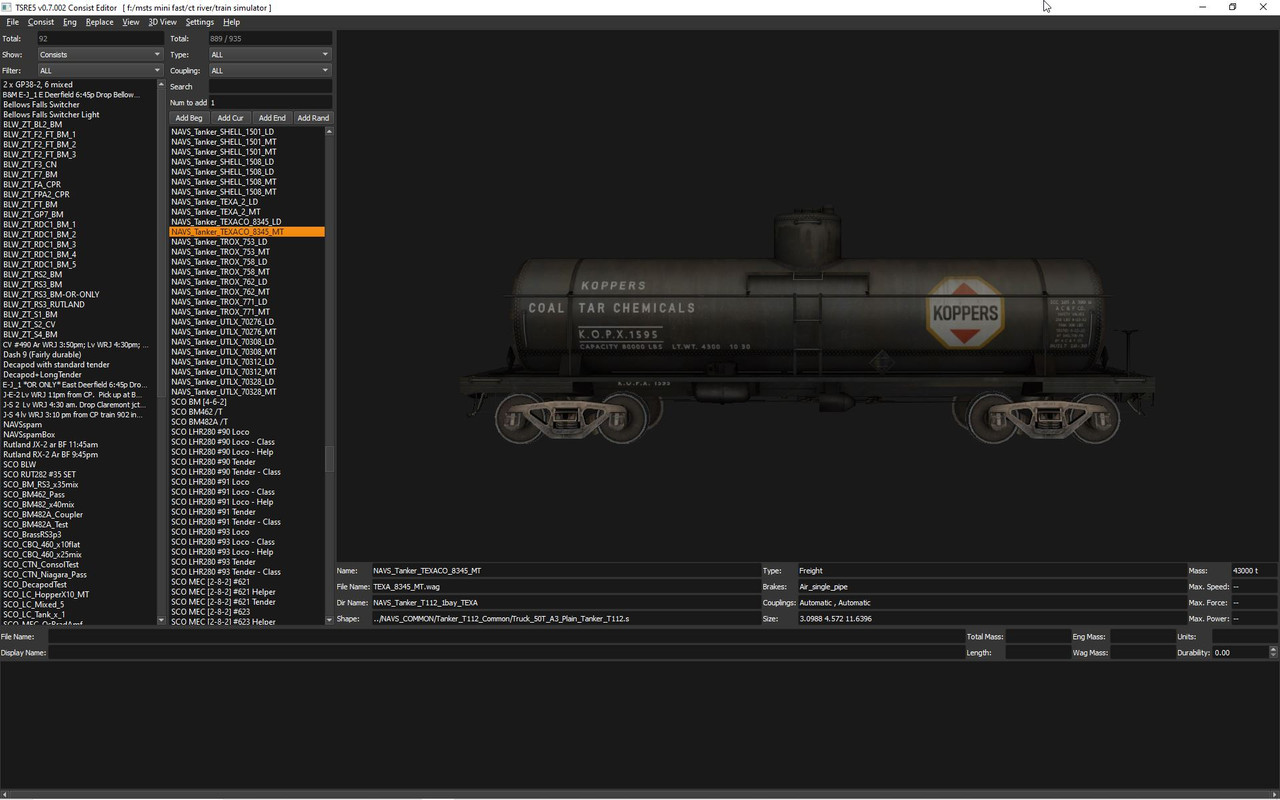
Regards,
Scott -
That's just it, I've not moved anything. TSRE's not showin g any of them. I used SFM as a Base to view where The Textures go( if needed), & uncompressed the .s files to see just in-case. Yes, The Author did everything Correct, but I most certainly must've on My end again, & trying to get to the bottom by Asking for help.So, you just leave them all including the US2CHIMICAR in The NAVS_Common? And, that's not them shown in the picture. The ones needing help with are The GATX ones.Comment
-
After you unzip the file, either drag and drop or copy and paste the 3 separate files into your trainset folder. I made a screen shot of one of my trainset folders as an example. Hope this helps.
MarkLast edited by crimsonfloyd; 04-29-2023, 09:01.Comment
-
I think perhaps the OP's issue can be explained by the line in their original post "Open Rails( Folder ): NAVS_Common"
I believe they are using the shape viewer part of TSRE, not the consist editor to try and view the shapes directly from the "NAVS_Common" folder. The actual cars wagon files are in the folder "TRAINS\TRAINSET\NAVS_GATX_GATC_T106_c2001" directory. the wagon files and main textures are stored there, the rest of the common parts are stored in the NAVS_Common folder. In the case of the default replacement for "US2Chemicar" that is in the original folder "TRAINS\TRAINSET\US2CHEMICAR". but only includes the shapes and wagon files the main textures are in the "NAVS_GATX_GATC_T106_c2001" and other components in the NAVS_Common folder.
If you want to view both the decal and main shape in the shape viewer open the wagon file for the corresponding car (from the open command in TSRE shape viewer) instead of the shape fileComment
-
Ok, so leave The Zseries( Truck ) Decal & Include in Navs_Common, but all 3 Named take & put into The OR Folder? And, this'll get TSRE to Reconize them? Oh, & pick out which Placard? I semi understand between this & what DarkHorse Said. I'll give it another Whirl later when I've got time. Plus, is there a way to add a name ( "..." ) to those .Wag files like others?Last edited by marklester01; 04-29-2023, 20:03.Comment
-
when you unzip the file "navs_gatx_gatc_t106_c2001.zip" into a temp directory or whatever directory you normaly extract new content into prior to installing in your sim folder. you should have this.
tankcar2.jpg
copy or move the three folders marked with red arrows to the TRAINS/TRAINSET folder of your main sim folder where all your routes and trains are installed. Answer yes when asked to overwrite any files and they are installed. any consist that already used the us2chemicar will now be using the new model and you can add or substitute any of the others to existing consists or create new ones in the consist editor.
TSRE-tankcar3.jpg
and to answer your other question you can add a name line to the wagon files to change the display name.Comment
-
Actually I did just notice a discrepancy in the original file for the us2chemicar in the package
the wagon file which is named "US2CHEMICAR.wag" has an incorrect wagon line.
it shows "Wagon ( GATX_10617"
it should be "Wagon ( US2CHEMICAR"Comment
-
Well, I try, & all . Separated NAVS_Common, The other NAVS, & US2Chemicar. That's the ONLY car that perfectly shows using TSRE that It'll read too! The other GATX Tanks of NAVS, I've got to just take The Tankcar named Folder & put into The Open Rails Folder where NAVS_Common & The New US2Chemicar's Located for TSRE to even Read them, but then when I click them,..nothing shows up( no Decals, nothing )! But however, The path's still displayed ( NAVS_Common, BNSF_Freight_c'01_Tanks & where it is. It just won't read any there. What to do now? And, where do I add The Name "..." in .wag files( these are quite different than prior ones )?
Last edited by marklester01; 04-30-2023, 22:58.Comment
-
Let's say you were using the Shape Viewer app of TSRE5. This has been around since before OpenRails was a thing. If you click on a locomotive shape file, it only displays the main shape. Clicking on the ENG file shows the whole locomotive AND by doing so includes what MSTS/ORTS developers call "freight animation shapes (F/A's)". Just like with engines, the freight cars with their F/A loads and the F/A texture set can be loaded into Shape Viewer by clicking on their respective WAG files, whereas clicking on the S file only displays the textures for that particular shape. For instance, consider Chris Wallace's BNSF ET44 that was built onto the CP Mactier Trainsets addon by TrainSimulations. Some parts of the locomotive are omitted and an F/A constructed to give the ET44 its appearance in the sim. The ENG file will display all parts of the locomotive plus the ET44 parts, as well as all textures. Hopefully this clarifies what Darkhorse was attempting to clarify.Comment
-
And as far as I am concerned, name the folder anything you want to, just make sure the WAG file displays the shape and F/A's properly. In other words, ensure the name of your shape being utilized for your repaints is the exact spelling as the name displayed in the WAG file's shape line. Example: If I'm running one of the ET44 repaints, the shape name in the WagonShape line needs to match the shape's filename within the loco folder. Where the WAG file is named "BNSF_ET44C4_3733.wag", the shape line should read "BNSF_ET44C4_3733.s", along with the FreightAnim (ET44_Parts.s). You can still name the wagon anything you'd like to, yet you must keep the WAG file intact. For example, for the BNSF loco I named it "BNSF ET44C4 #3733". As long as the shape name doesn't conflict with WAG file entries, the possibilities are endless!Comment
-
This concept will also apply to the NAVS tankers given that the decals and markers are considered ORTS Freight Animations. Those are included in the WAG files as well.Comment
-
Let me re-tell what I was saying. Only The NAVS Version( New) US2CHEMICAR will now show up after doing what I was Told & showed. I'm using TSRE for Consist Editor to View The Car & make sure It's Properly done on My End, but still want Clarification. I know for a Fact, It's not yet done because If I leave The one Tank Car Folder in The BNSF_Freight_C2001_( one after as the path shows ), TSRE doesn't Display ANY of The Gatx Tanks. But, if I take & place it in The Main Open Rails Folder, It'll then Read all The Gatx .s files but not display any of them(not the carbody or decals ). No way to bring up a F/A way either. But, it displays the path. That's my trouble.Last edited by marklester01; 05-01-2023, 16:37.Comment
-
Can you show the full paths of what you're doing?
This all needs to be within the \TRAINS\TRAINSET folders where you have your other OpenRails or MSTS Content.
You should have:
[OpenRails Folder]\TRAINS\TRAINSET\NAVS_COMMMON
[OpenRails Folder]\TRAINS\TRAINSET\GATX_GATC_T106_c2001
[OpenRails Folder]\TRAINS\TRAINSET\US2CHEMICARIf you like what you see here at Trainsim.com, be it the discussions and knowledge in the forums, or items available in our library, I hope you'll consider a paid membership to help support keeping the site operating.... Thanks!Comment
-
Ok, still Running Windows 10, able to have Open Rails Folder on Main DeskTop. Open Rails, Trains, TrainsSet, NAVS_COMMON. It's The Same except NAVS_GATX_GATC_T106_c2001. Same for The New NAVS US2CHEMICAR, but It's showing all the way through( so I know it works ).Last edited by marklester01; 05-02-2023, 01:06.Comment


Comment