


I have to fold it up for the tonight...good luck. Will check back tomorrow.
-
Cheers, Gerry
"A mind is like a parachute. It doesn't work if it is not open." Frank Zappa
It's my railroad and I'll do what I want! Historically accurate attitude of US Railroad Barons.
Forever, ridin' drag in railroad knowledge.
Audi, Vide, Tace, Si Vis Vivere In Pace
https://www.trainsim.com/forums/filedata/fetch?filedataid=79656&type=medium https://www.trainsim.com/forums/filedata/fetch?filedataid=79654&type=small -
>Here is the start screen
At last, something we can help with.
Navigate to your trainset folder. ( where all of your rolling stock is )
go down to the "FJGv2_power" folder,
Click on it and screenshot what is under it?
I expect you have another FJGv2_power folder?
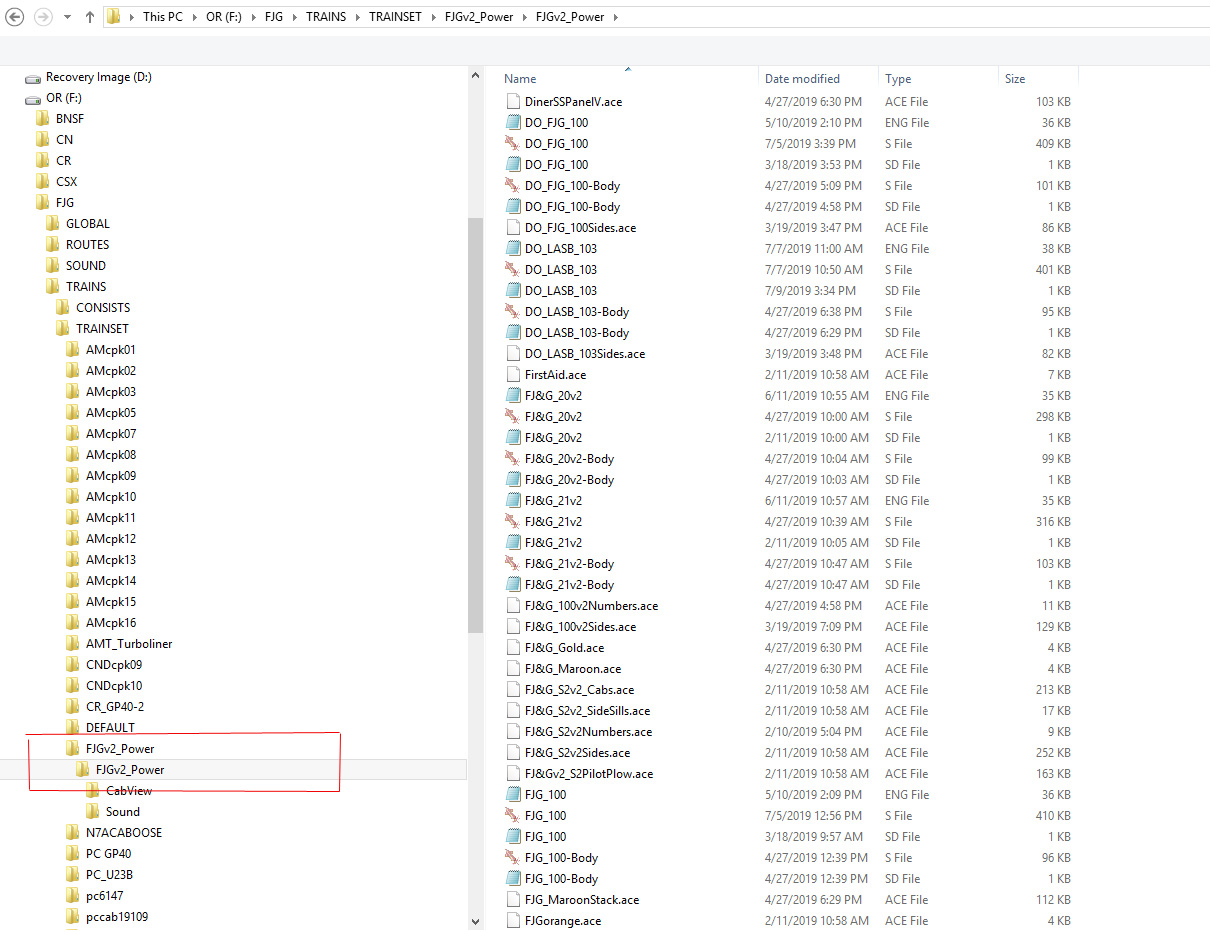
If this is the case, you need to cut the lower FJGv2 and overwrite the upper FJGv2 folder.
The eng file ( and everything else ) needs to be under the upper FJGv2 folder.
You will need to check all other of Paul's folders to see if you have any more like this.Comment
-
Please look at the screenshot provided in post #13, check the path for the screenshot, it appears the file structure isn't set up right.
PaulComment
-
You need to check for any unintended folder nesting that results from unzipping files a certain (incorrect) way.
This is my FJGv2 folder. This is correct.
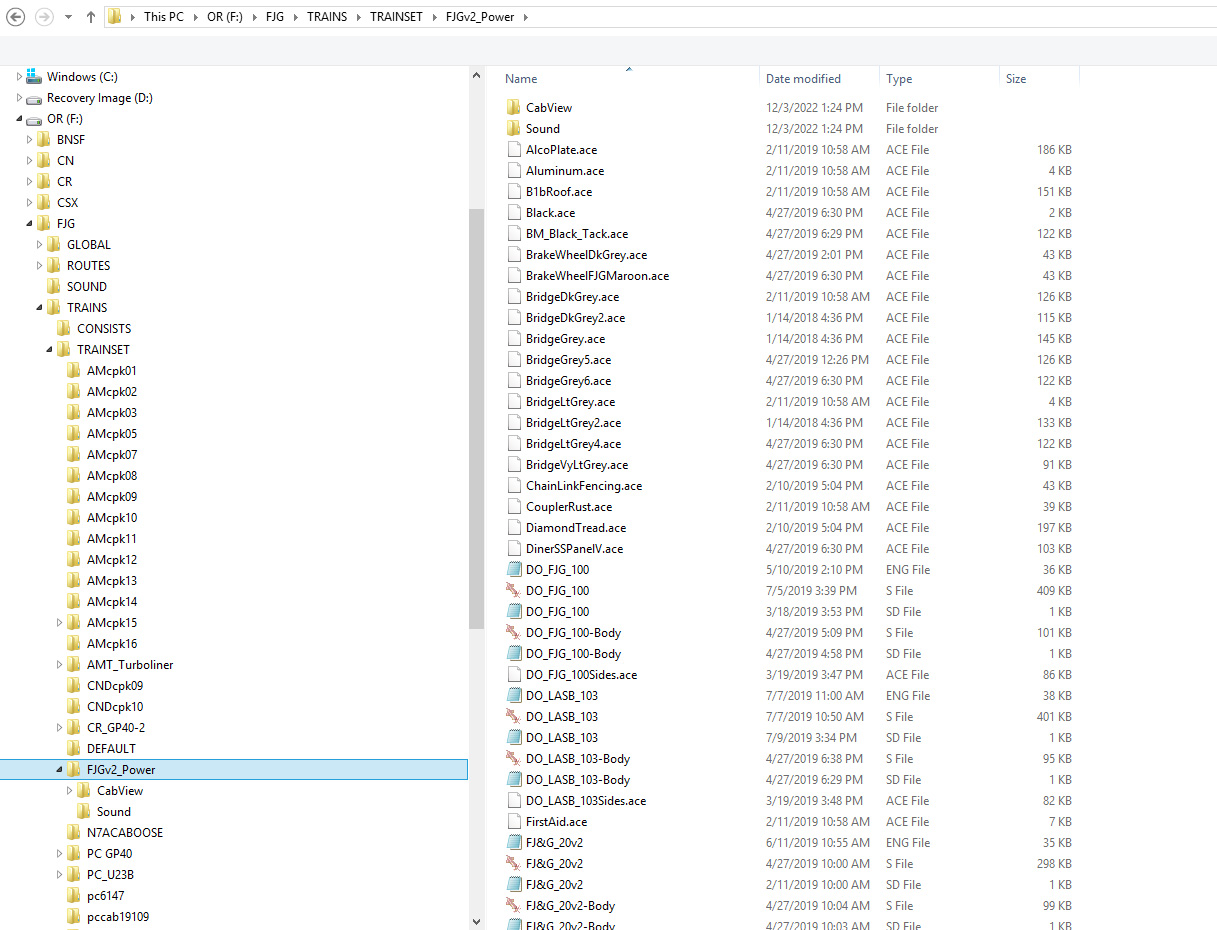
Below is what happens when you have incorrect folder nesting, that occurs often when things are unzipped incorrectly. There is a difference between the option to "Extract to folder ____" and "Extract to here". The locos will not show in Open Rails when you have nested folders.
Part of your frustrations come from a combination of crowdsourced material and your part time interest status. If as a part-timer you concentrated on payware with absolute installers, this would not happen. Everybody who is a full-timer has known that the MSTS original activity package installer sucks and has sucked for a long time, and the third party tool developed by GED solved that. There really is no shortcutting to knowing these things. It comes with time and exposure. There is no dying on any hill when the user is part-time only.
The V2 version gives you a whole month's worth of activities.
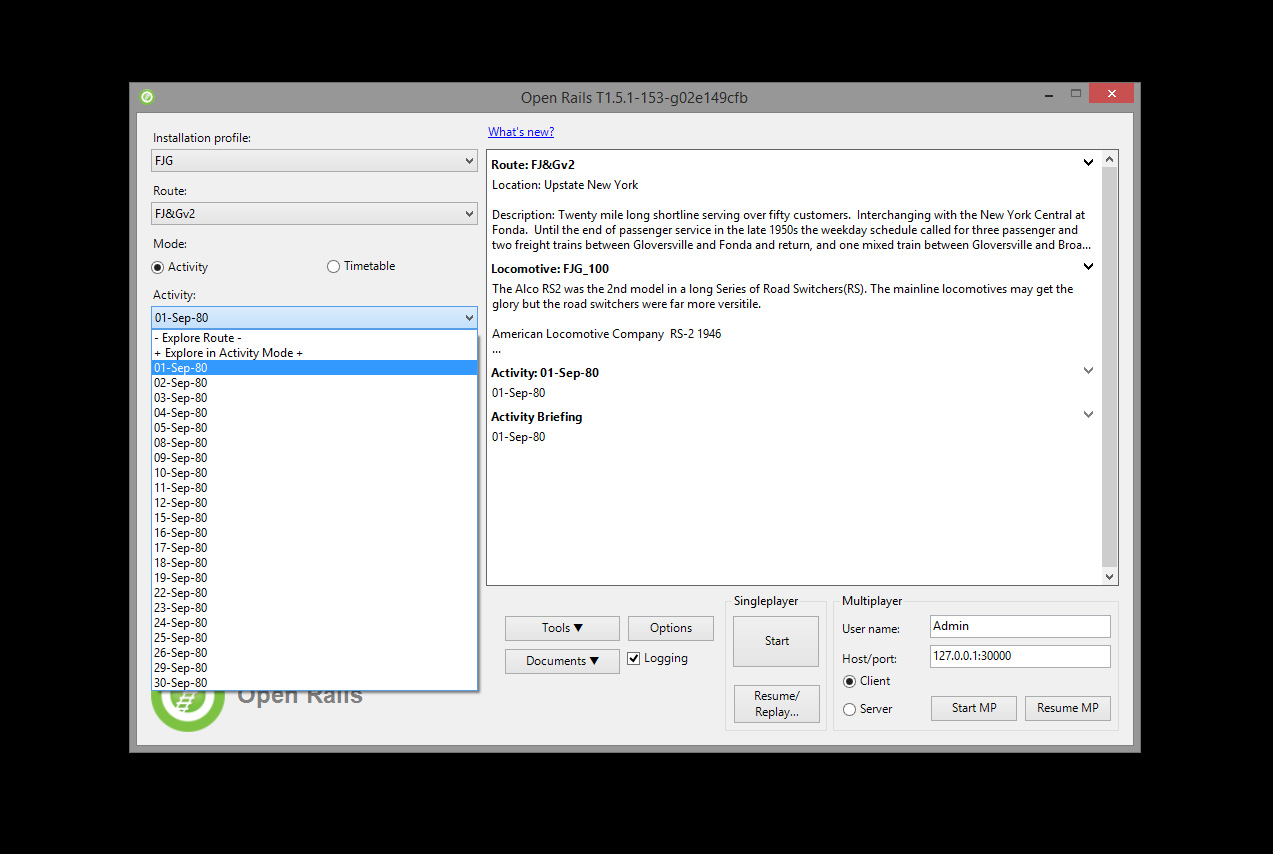 My Open Rails videos https://www.youtube.com/@lakecities3663/videos
Comment
-
The key thing to remember from the consist file example I posted is that the information in the "EngineData" line should match what you find in your trainset...2nd entry is the folder that the eng ( or wag ) is contained in. The 1st entry is the name of the eng or wag file...Quotes around the entry must be used if there are blank spaces in the names.
Also, --- as Geepster has posted --- if you have nested folders in your trainset this will also cause the problem you are having. Look at the example.Cheers, Gerry
"A mind is like a parachute. It doesn't work if it is not open." Frank Zappa
It's my railroad and I'll do what I want! Historically accurate attitude of US Railroad Barons.
Forever, ridin' drag in railroad knowledge.
Audi, Vide, Tace, Si Vis Vivere In Pace
https://www.trainsim.com/forums/filedata/fetch?filedataid=79656&type=medium https://www.trainsim.com/forums/filedata/fetch?filedataid=79654&type=smallComment
-
Here's an update for you all. After looking at the .con file you showed me and renaming the folder accordingly, the activities involving the S2s and 30 work (far as I can tell) perfectly now. I even downloaded Paul's activity pack and all the required stock (which took quite a while) and those work nicely too. So I think that problem is fixed.
However, I went and installed the 340 (the motor baggage car thing lol) and the activities to go along with it. The list of required downloads appears to be identical to the activities mentioned earlier, so I thought I didn't need to do anything else. When I try opening the one activity that goes with it, OR gives me a load error but won't tell me what's missing. Ugh.
fj134loaderr.JPGComment
-
Good that the first problem is solved.
However for the second, follow the basic troubleshooting technique...in this case since there is no consist listed in OR...go back to the required downloads and download them... to a temporary folders. Completely unpack them ( no nesting folders ) and then place them in the appropriate folders in the Route and Trains folders. OR is showing you are missing ( or they are in the wrong place ) paths, consists, and equipment needed to run them. Start with what is known...look for the FJG124 in your Trainset...use Conbuilder to check for the consists using this engine.
If it was me, I'd leave that for another day and run some of the activities you just repaired...explore this excellent route.Cheers, Gerry
"A mind is like a parachute. It doesn't work if it is not open." Frank Zappa
It's my railroad and I'll do what I want! Historically accurate attitude of US Railroad Barons.
Forever, ridin' drag in railroad knowledge.
Audi, Vide, Tace, Si Vis Vivere In Pace
https://www.trainsim.com/forums/filedata/fetch?filedataid=79656&type=medium https://www.trainsim.com/forums/filedata/fetch?filedataid=79654&type=smallComment
-
>but won't tell me what's missing. Ugh.
First problem is that you are still running FJG version 1 and you need to be running FJGv2.
When you have installed v2, you can try again.Comment
-
Look at the items following the Activity Load Error. Missing lead Loco, Missing consist, Missing Starting at, and Missing Going to. Any of those items would cause an Activity Load error. Now notice in the activity description " ...in the late 1950s ...." In a previous post it was stated that version 1 is set in the 1920s and version 2 is set in the 1950s. Are you trying to run a version 2 activity on the version 1 route?CharlesComment
-
No, version 1 is set in the late 1950s and version 2 in the late 1970s, but yes, the rolling stock and activities are not interchangeable. The track changed so the TDB is not the same, even the motive power is different. I see some people giving instructions how to install v2 power but he has the v1 route, no wonder why he's getting frustrated, even if he gets the installation right it would do nothing for him trying to open an activity.
Maybe it's time to take a bit of a breather and get back to basics... how and where does he have to program installed and does he have the right file structure. Mark posted a screen shot earlier and the path in the address bar didn't have a "Train Simulator" folder.
PaulComment
-
OK Mark, I'm trying to figure out why the path in the address bar in your screenshot doesn't show you pointing to a Train Simulator folder that would contain the route and a "Trains" folder.
My MSTS folder is in Drive C: Programs (x 86)>Microsoft Games>Train Simulator> then from there you can select Routes, Trains (inside is a Consists and a Trainset folders). OR looks for the Train Simulator folder, if it doesn't see it it doesn't look for anything else.
Paul
Just wondering, can you get other routes and activities to run in Open Rails?
Paul :-)Comment
-
Morning Mark,
There are a few thousand people with the FJGv1 out there working so the route does work!
Need for you to check a couple of things, might sound pretty basic but I can't see how you have things from here. Open you Routes folder, open the FJGv1 folder once and take a screenshot for me.
Open the Trains>Trainset>FJG_20 folder once and take a screenshot of it.
Just to confirm, you have v1 install which is the late 1950s, that's the version you won't... not the 1970s version, right? The reason for asking is the activities and rolling stock are not interchangeable, so we just need to be on the same page.
Paul :-)Comment


Comment