Xbox One controller

Collapse
X
 
  • Time
  • Show
Clear All
new posts
  • david.wi1952
    New Member
    • Dec 2021
    • 1

    #1

    Xbox One controller

    Hi Guys

    Can the Xbox One controller be used in Open Rails?

    Thanks, David
  • scottb613
    2500 Post Veteran


    • Apr 2003
    • 2848
    • Downeast Maine (soon)
    • ORTS

    #2
    Originally posted by david.wi1952
    Hi Guys

    Can the Xbox One controller be used in Open Rails?

    Thanks, David
    Hi David,

    I can't drive trains without one.

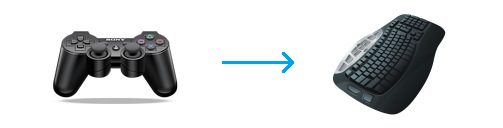
    You need a program called "Joy2Key" to translate the joystick/button output to keystrokes - it's $7.00 and works flawlessly and greatly improves my enjoyment of driving trains. Kicking back in your favorite chair instead of hovering over your keyboard is a game changer.

    Download the latest version of JoyToKey for free! JoyToKey enables PC game controllers to emulate a mouse and the keyboard input, so that windows applications and web games can be controlled with joysticks.


    IMG_1191 by Scott B, on Flickr

    Regards,
    Scott
    <a href=https://www.trainsim.com/forums/filedata/fetch?filedataid=80663&type=full title=thumb_80663.png >thumb_80663.png</a>​ My Blender Models

    Comment

    • CSRX
      13500 Post Veteran


      • Oct 2005
      • 13646
      • Lincoln, ME
      • English
      • ORTS

      #3
      Not something I have done, but it can be done as Scott mentioned. I actually use the controller for Train Sim World 2 as well, it's way more comfortable to work with!
      -Shawn K-
      MEC Mountain Subdivision - Trackwork 70%, Scenery 35%
      ​

      Comment

      • bigjohn
        Senior Member

        • Jan 2005
        • 527
        • coos bay.OR
        • ORTS

        #4
        this is very interesting, what type of controllers can be used? I don't have Xbox or PS,as this is the only game I use.

        Comment

        • bigjohn
          Senior Member

          • Jan 2005
          • 527
          • coos bay.OR
          • ORTS

          #5
          I just bought an Xbox S, one terabyte, and downloaded that joy to key thing. Thank's for this Tip

          Comment

          • scottb613
            2500 Post Veteran


            • Apr 2003
            • 2848
            • Downeast Maine (soon)
            • ORTS

            #6
            Hi John,

            I'm not sure of the various brands - I use two different Logitech Controllers - the one in my picture is wireless and I also have a wired version. The wired version was pretty cheap. It has to be a controller compatible with a PC.

            Here's my profile I use for Steam Locomotives - I have another for Diesels. Profile attached to help you get started.


            Capture4.JPG


            Joy2Key Open Rails Profile:
            ORTS.zip

            Regards,
            Scott
            <a href=https://www.trainsim.com/forums/filedata/fetch?filedataid=80663&type=full title=thumb_80663.png >thumb_80663.png</a>​ My Blender Models

            Comment

            • =FI=Ghost
              Senior Member
              • Feb 2010
              • 660
              • Germany
              • Serbian, Croatian, English, German, Russian
              • ORTS

              #7
              You can use any joystick or a joypad as long as it's recognised by Windows.
              Borislav
              sigpic

              Comment

              • qballbandit
                6500 Post Veteran

                • Jan 2006
                • 6522
                • Elgin Il., USA.
                • MSOR

                #8
                HAVE to try this soon, thanks Scott!!!
                Neil

                Chicago Railroading Fan

                Comment

                • scottb613
                  2500 Post Veteran


                  • Apr 2003
                  • 2848
                  • Downeast Maine (soon)
                  • ORTS

                  #9
                  Originally posted by qballbandit
                  HAVE to try this soon, thanks Scott!!!
                  Hi Neil,

                  If you don't have a controller - you can probably pick up the Wired Logitech I mentioned - plus the Joy2Key software - for less than $30.00. Well worth the price of admission - as I loathe using the keyboard for input - hunting down appropriate keys with proper finger placement is a complete immersion killer for me. When you get used to the controller - changes don't even require thought - your fingers just know what to do probably much like driving a real locomotive.

                  The Joy2Key software - can alternate different keys with each subsequent button press - build short simple little macros - and can press a different key depending on how long you hold the button in. It's pretty slick and fairly easy to setup.

                  If you ever need help - just ping me.

                  Regards,
                  Scott
                  Last edited by scottb613; 12-22-2021, 12:18.
                  <a href=https://www.trainsim.com/forums/filedata/fetch?filedataid=80663&type=full title=thumb_80663.png >thumb_80663.png</a>​ My Blender Models

                  Comment

                  • Vince
                    6500 Post Veteran

                    • Nov 1999
                    • 6961
                    • Mohave

                    #10
                    I have an XBox1 which uses wireless controllers.
                    How does one get the XBox controller to talk to my desktop computer system?
                    thanks,
                    ............Vince ..............
                    ...... Author NECv4 .......
                    .... LIRR BUILD PHOTOS ....
                    ...... Eschew Obsfucation ......

                    On the The Statue of Liberty in New York Harbor there is a Tablet. On it is written:
                    "Give me your tired, your poor, your huddled masses yearning to breathe free,
                    the wretched refuse of your teeming shore, send these, the homeless, tempest-tossed to me,
                    I lift my lamp beside the golden door!"

                    Comment

                    • R. Steele
                      3500 Post Veteran

                      • Feb 2013
                      • 3928
                      • known universe
                      • ORTS

                      #11
                      Originally posted by Vince
                      I have an XBox1 which uses wireless controllers.
                      How does one get the XBox controller to talk to my desktop computer system?
                      thanks,
                      Would a USB wireless mouse plug work?
                      Cheers, Gerry
                      "A mind is like a parachute. It doesn't work if it is not open." Frank Zappa
                      It's my railroad and I'll do what I want! Historically accurate attitude of US Railroad Barons.
                      Forever, ridin' drag in railroad knowledge.
                      Audi, Vide, Tace, Si Vis Vivere In Pace​

                      https://www.trainsim.com/forums/filedata/fetch?filedataid=79656&type=medium​ https://www.trainsim.com/forums/filedata/fetch?filedataid=79654&type=small

                      Comment

                      • derekmorton
                        5500 Post Veteran


                        • Nov 1999
                        • 5699
                        • Eltham, Victoria, Australia.
                        • ORTS

                        #12
                        Originally posted by R. Steele
                        Would a USB wireless mouse plug work?

                        If the device is recognised by windows as a wireless device, most mouses will be bluetooth.

                        Vince,

                        Any wireless card or usb wireless device.

                        Comment

                        • CSRX
                          13500 Post Veteran


                          • Oct 2005
                          • 13646
                          • Lincoln, ME
                          • English
                          • ORTS

                          #13
                          Originally posted by Vince
                          I have an XBox1 which uses wireless controllers.
                          How does one get the XBox controller to talk to my desktop computer system?
                          thanks,
                          If you have a Bluetooth connection, it will work with a wireless Xbox One controller, so as longs as it's a Bluetooth capable controller.
                          Would be a solid controller and not the split line section around the 'X'.
                          There are a few online pages that give proper help, one straight from Microsoft.

                          -Shawn K-
                          MEC Mountain Subdivision - Trackwork 70%, Scenery 35%
                          ​

                          Comment

                          Working...