Static Consists not showing in Activity

Collapse
X
 
  • Time
  • Show
Clear All
new posts
  • bootednancy
    Senior Member

    • Jun 2003
    • 549
    • New Jersey, United States

    #1

    Static Consists not showing in Activity

    Hello fellow OR fans:

    I have a problem that maybe someone is able to explain or help with.

    I am running the recent PRR Eastern Region (v2 Vince Cockeram) in Open Rails using an activity CAMDEN YARD 1.2 by Bob Gallagher. The activity seems to run fine, and before I started, I ran all of the paths through Track Viewer to see that they were valid in the new version of Eastern Region, which they all passed.

    Bob has placed a number (maybe about 20) Static Consists along the activity path, but when I run the activity, only about perhaps half of them appear.

    I have tried all kinds of hocus-pocus...including deleting some of his, and using the GoKu Route Editor, tried placing them from a created consist file I made, and still nothing.....I know the GoKu Editor is the best since sliced bread as I have (over)used it on other routes for Static CONS. The consist will show as placed when the Editor is open, but running the scenario, they are not there....this is only some, not all of the static CONS.

    Any ideas on what is going on or even how to correct it so I can run with all the static consists???

    Any help appreciated and I am looking to get this to work as Open Rails is the only way to use this route to begin with.

    Doug
    Doug

    Happiness is when the AI-trains appear where you want them to
  • R. Steele
    3500 Post Veteran

    • Feb 2013
    • 3928
    • known universe
    • ORTS

    #2
    Have you looked in the log??
    Cheers, Gerry
    "A mind is like a parachute. It doesn't work if it is not open." Frank Zappa
    It's my railroad and I'll do what I want! Historically accurate attitude of US Railroad Barons.
    Forever, ridin' drag in railroad knowledge.
    Audi, Vide, Tace, Si Vis Vivere In Pace​

    https://www.trainsim.com/forums/filedata/fetch?filedataid=79656&type=medium​ https://www.trainsim.com/forums/filedata/fetch?filedataid=79654&type=small

    Comment

    • bootednancy
      Senior Member

      • Jun 2003
      • 549
      • New Jersey, United States

      #3
      Gerry...............

      WHAT exactly am I supposed to look for in the log....it is a bunch of computer jibberish I have NO idea what it means???

      The log file is .5 KB too large to attach here....will send under separate e-mail

      Doug
      Doug

      Happiness is when the AI-trains appear where you want them to

      Comment

      • R. Steele
        3500 Post Veteran

        • Feb 2013
        • 3928
        • known universe
        • ORTS

        #4
        I'll do this one time, but please do not fill up my PM with your log, other people have found ways to copy and paste them into their posts, I suggest you do the same. I believe you can zip up the log and attach it to your posts, please do so, it will help others to spot the problems and help you help yourself.

        it is a bunch of computer jibberish I have NO idea what it means???
        ...and it's gibberish you should start to learn how to decipher...I did...and I have a lot less experience in these parts than you do, joining a decade after yourself.

        You got some work to do, missing wagons, missing sounds, etc. only you can start troubleshooting and solving the problems...good thing OR can point directly to the source of problems. I am not guaranteeing that fixing all these will cause the loose consists to appear, but these type of errors can cause troubles when running OR. Also I didn't post your settings, someone with more OR experience than I may be able to spot a setting that needs adjusting...although in my experience missing loose consists usually mean the item is missing from your trainset, or the file itself is messed up enough that OR cannot render the item in the simulation.

        And don't feel put upon, all of us use the log to self diagnose problems, and find ways to solve them, before I run any new activity, even after using slipperman's excellent utilities to find errors, the last thing I do is start the activity with the log box checked and then close OR, then look at the log for errors and warnings. Do it enough times and it becomes second nature and you clear up a lot of problems in your trainset.
        I put a few notes in the log to get you started...post any questions, people ( myself included ) will try to walk you through it.
        Have fun, just part of the hobby, at least an 8x10 piece of plywood didn't fall off the sawhorses onto your foot in the basement!

        Warning: When expecting a number, we found a ) marker. Using the default 1 in F:\MSTS_OR-1\Train Sim_Pennsy\trains\trainset\BLW_RDG_RS3\RDG_469_RS3 .eng:line 70 <<<Believe this refers to freight animations-gs

        Warning: When expecting a number, we found a ) marker. Using the default 1 in F:\MSTS_OR-1\Train Sim_Pennsy\trains\trainset\BLW_RDG_RS3\RDG_447_RS3 .eng:line 70

        Warning: When expecting a number, we found a ) marker. Using the default 1 in F:\MSTS_OR-1\Train Sim_Pennsy\trains\trainset\BLLW_PRSL_set4\PRSL-9875-P70R.wag:line 6

        Warning: Found a suffix '/m/s' which could not be parsed as a Resistance unit in F:\MSTS_OR-1\Train Sim_Pennsy\trains\trainset\PRSL_AS-16\prsl_6016_AS-16.eng:line 41 <<<incorrect UoM in Friction block-gs

        Warning: Ignored missing wagon F:\MSTS_OR-1\Train Sim_Pennsy\trains\trainset\GP30\gp30prr.eng in activity definition Loose consist.

        Warning: When expecting a number, we found a ) marker. Using the default 1 in F:\MSTS_OR-1\Train Sim_Pennsy\trains\trainset\CLW_PRR_AS616\PRR_8969_ AS616.eng:line 7

        Warning: F:\MSTS_OR-1\Train Sim_Pennsy\trains\trainset\Cabooses\RDG_94031.wag references non-existent shape F:\MSTS_OR-1\Train Sim_Pennsy\trains\trainset\Cabooses\rr_94031.s <<<Says it all.. incorrect shape file referenced - gs

        Warning: F:\MSTS_OR-1\Train Sim_Pennsy\trains\trainset\ZT-Cowen_GG1\PRR_4876_GG1.eng locomotive's CabView references non-existent GG1-NALW-LHS.cvf <<< incorrect cabview - use slippermans "MSTS Check" to find cab and sound errors

        Warning: Ignored missing wagon F:\MSTS_OR-1\Train Sim_Pennsy\trains\trainset\BLLW_PRR_\PRR_9382_B60b .wag in consist F:\MSTS_OR-1\Train Sim_Pennsy\TRAINS\CONSISTS\GG1-Pass12.CON

        Warning: When expecting a number, we found a ) marker. Using the default 1 in F:\MSTS_OR-1\Train Sim_Pennsy\trains\trainset\BLLW_PRR_PB70_set2\PRR_ 4875_PB70.wag:line 6

        Warning: When expecting a number, we found a ) marker. Using the default 1 in F:\MSTS_OR-1\Train Sim_Pennsy\trains\trainset\BLLW_PRR_P70_set1\PRR-3748.wag:line 5
        Warning: When expecting a number, we found a ) marker. Using the default 1 in F:\MSTS_OR-1\Train Sim_Pennsy\trains\trainset\BLLW_PRR_P70_set3\PRR-1666.wag:line 6

        Warning: When expecting a number, we found a ) marker. Using the default 1 in F:\MSTS_OR-1\Train Sim_Pennsy\trains\trainset\BLLW_PRR_P70_set3\PRR-1744.wag:line 6

        Warning: When expecting a number, we found a ) marker. Using the default 1 in F:\MSTS_OR-1\Train Sim_Pennsy\trains\trainset\ZT_PRR_1952_Senator\PRR _GeorgeWashington_C.wag:line 179

        Warning: Found an unexpected EOF, while reading an item started with a double-quote character. in F:\MSTS_OR-1\Train Sim_Pennsy\TRAINS\CONSISTS\E44-16.CON:line 82

        Warning: Unexpected end of file instead of ) in F:\MSTS_OR-1\Train Sim_Pennsy\TRAINS\CONSISTS\E44-16.CON:line 82

        Warning: Expected depth 0; got depth 4 at end of file (missing ')'?) in F:\MSTS_OR-1\Train Sim_Pennsy\TRAINS\CONSISTS\E44-16.CON:line 82

        Warning: When expecting a number, we found a ) marker. Using the default 1 in F:\MSTS_OR-1\Train Sim_Pennsy\trains\trainset\PRR_E44\E44A_4458.eng:l ine 6

        Warning: Ignored missing wagon F:\MSTS_OR-1\Train Sim_Pennsy\trains\trainset\Box_40ft )
        UiD ( 7 )
        )
        Wagon (
        WagonData ( NKP_8500 Box_40ft )
        UiD ( 13 )
        ) ETC...

        Warning: Cannot find F:\MSTS_OR-1\Train Sim_Pennsy\trains\trainset\RDG_F7\ car sound file ..\..\GP38\Sound\GP38Cab.sms


        Warning: File ../../Dash9/sound/x_d9_airb_auto3.wav missing from F:\MSTS_OR-1\Train Sim_Pennsy\trains\trainset\RDG_H-24-66\sound
        Cheers, Gerry
        "A mind is like a parachute. It doesn't work if it is not open." Frank Zappa
        It's my railroad and I'll do what I want! Historically accurate attitude of US Railroad Barons.
        Forever, ridin' drag in railroad knowledge.
        Audi, Vide, Tace, Si Vis Vivere In Pace​

        https://www.trainsim.com/forums/filedata/fetch?filedataid=79656&type=medium​ https://www.trainsim.com/forums/filedata/fetch?filedataid=79654&type=small

        Comment

        • bootednancy
          Senior Member

          • Jun 2003
          • 549
          • New Jersey, United States

          #5
          Gerry:

          Thank you very much for taking the time to pick through most of the errors and trying to help me....
          \
          ..I started a little de-bugging and found a few syntax errors in the WAG files also (the RR_94031 caboose) I am fairly new to using OR and learning a lot of the program and the GoKu editor that it takes time to adsorb all the material

          A lot of the terminology: "When expecting a number, we found a ) marker. Using the default 1 in F:"............is strange so I am not sure what they are hitting at, as most of those errors go to the line which is a FreightAnnimation and calls for another S file...checked that out and everything appears OK??

          Other stuff I see you pointed out sound or S files missing or incorrect...........so I have some work ahead

          Other of the files........."PRSL-9875-P70R.wag" are ones that ARE appearing correctly, again this error, line 8 is a FreightAnnimation.

          But most of all thank you for taking the patience and time to explain what at least I am looking for in the Log File to find the errors..........and sorry about posting it to you that way.........I couldn't get it to work..as it was giving me that the Log file was too many characters to copy and paste, and the program File Upload Manager only seems to take pictures...no simple way to attach any other type like a straight e-mail.

          Doug
          Doug

          Happiness is when the AI-trains appear where you want them to

          Comment

          • R. Steele
            3500 Post Veteran

            • Feb 2013
            • 3928
            • known universe
            • ORTS

            #6
            Re: Freight animations warnings...they are not fatal. I think OR wants the freight animation to look like this:
            FreightAnim ( FAnim_C425.s 1 1 1 ) <<< three ones, not the normal two. I usually change it to three, reduces the numbers of warnings in the log. Honestly, I have forgotten why you need the extra one for OR...maybe someone who knows will post.

            The missing wagons will definitely affect loose consists, especially if they are the loose consists.
            MSTS is full of errors...from all sorts of sources...sometimes just imprecise file work...after working to correct the errors, I now have few that pop up...it really is worth it to try to find and fix them, if only for the reason to get used to reading the log.

            Good luck, I'll keep an eye on the thread. Now that you've said the paths work, I'll probably install the activity...when I get a little time.
            and sorry about posting it to you that way.........I couldn't get it to work..as it was giving me that the Log file was too many characters to copy and paste, and the program File Upload Manager only seems to take pictures...no simple way to attach any other type like a straight e-mail.
            No worries, all good. Cheers. Gerry
            Cheers, Gerry
            "A mind is like a parachute. It doesn't work if it is not open." Frank Zappa
            It's my railroad and I'll do what I want! Historically accurate attitude of US Railroad Barons.
            Forever, ridin' drag in railroad knowledge.
            Audi, Vide, Tace, Si Vis Vivere In Pace​

            https://www.trainsim.com/forums/filedata/fetch?filedataid=79656&type=medium​ https://www.trainsim.com/forums/filedata/fetch?filedataid=79654&type=small

            Comment

            • bootednancy
              Senior Member

              • Jun 2003
              • 549
              • New Jersey, United States

              #7
              Hello Gerry:

              Working my way through the stock I used in the activity as time allows since yesterday.

              Think I am making progress.at least reading the Log file.....errors appear to be getting fewer, and seeing more consists.

              The odd thing seems to be that OR is quite forgiving with errors...missing a sound file? missing a cabview?? the scenario will still load and run without so much as minimal error messages (like no cab view able to display for this file...etc)....the old MSTS...one thing out of place, INCLUDING commas, etc....BANG..it's over, run for cover, it wont continue at all............

              Only major problem is with incorrect or missing WAG files....it just wont draw them but will run the scenario and display the rest of the consist.

              Me thinks the FreightAnim deal is that it goes back to the geometry of the shape file....the S file is based on x-y-z axis to describe it, and while usually a FA is a flat or varied "add-on" to that file, OR is still looking for a description based on the x-y-z axis even though the z dimension is irrelevant..a few of my passenger car files use FA's along with the body shape, but error is minor since it still displays the full image anyway.;.EXCEPT for the file I had connected to the wrong FA file and it was nothing but 2 vestibules on 2 trucks.......

              I am pretty sure, I proof-read the PAT files for this activity in Track Viewer, which has an "automatic repair" function for broken paths....I think one may have come up "sour" but was quickly corrected..........this activity should not have been affected by Vince Cockeram's rebuild since that was at ZOO Junction and this ends north of there at Frankford.

              Thanks much for the help and pointing me in the direction...let you know how the activity plays out in a few days when I have time to finish the corrections.......when I first ran the scenario...I noticed I need to adjust a few of the AI train passing times, as it took me a little quicker than the allotted time the creator gave it, even though it was made for OR

              Doug
              Doug

              Happiness is when the AI-trains appear where you want them to

              Comment

              • R. Steele
                3500 Post Veteran

                • Feb 2013
                • 3928
                • known universe
                • ORTS

                #8
                Originally posted by bootednancy
                Hello Gerry:

                Working my way through the stock I used in the activity as time allows since yesterday.
                Yeah, I know, hobby speed.

                Originally posted by bootednancy
                Think I am making progress.at least reading the Log file.....errors appear to be getting fewer, and seeing more consists.

                The odd thing seems to be that OR is quite forgiving with errors...missing a sound file? missing a cabview?? the scenario will still load and run without so much as minimal error messages (like no cab view able to display for this file...etc)....the old MSTS...one thing out of place, INCLUDING commas, etc....BANG..it's over, run for cover, it wont continue at all............

                Only major problem is with incorrect or missing WAG files....it just wont draw them but will run the scenario and display the rest of the consist.
                If I remember from reading the threads on OR development, that is by design, very few things will stop OR in its' tracks - unlike MSTS. Trouble is, people then assume ( without checking or even knowing about the log) that everything is just fine...then the sound errors or other warnings pile up and eventually OR will choke. I use the OR log as a troubleshooting tool all the time.

                Originally posted by bootednancy
                Me thinks the FreightAnim deal is that it goes back to the geometry of the shape file....the S file is based on x-y-z axis to describe it, and while usually a FA is a flat or varied "add-on" to that file, OR is still looking for a description based on the x-y-z axis even though the z dimension is irrelevant..a few of my passenger car files use FA's along with the body shape, but error is minor since it still displays the full image anyway.;.EXCEPT for the file I had connected to the wrong FA file and it was nothing but 2 vestibules on 2 trucks.......
                That makes sense.

                Originally posted by bootednancy
                I am pretty sure, I proof-read the PAT files for this activity in Track Viewer, which has an "automatic repair" function for broken paths....I think one may have come up "sour" but was quickly corrected..........this activity should not have been affected by Vince Cockeram's rebuild since that was at ZOO Junction and this ends north of there at Frankford.
                It's my routine to check out all paths before running an activity, although OR will not start if the player path is broken and will show path warnings in the log.
                Originally posted by bootednancy
                Thanks much for the help and pointing me in the direction...let you know how the activity plays out in a few days when I have time to finish the corrections.......when I first ran the scenario...I noticed I need to adjust a few of the AI train passing times, as it took me a little quicker than the allotted time the creator gave it, even though it was made for OR

                Doug
                No problems...AI traffic running differently in OR vs. MSTS is a constant subject in the forums. Once you get the AI's adjusted for OR they usually run very consistently. There was a thread about AI's running differently on different machines....weird, I don't remember if that one was ever solved. I usually find adjusting the start times is most often required.
                Cheers, Gerry
                "A mind is like a parachute. It doesn't work if it is not open." Frank Zappa
                It's my railroad and I'll do what I want! Historically accurate attitude of US Railroad Barons.
                Forever, ridin' drag in railroad knowledge.
                Audi, Vide, Tace, Si Vis Vivere In Pace​

                https://www.trainsim.com/forums/filedata/fetch?filedataid=79656&type=medium​ https://www.trainsim.com/forums/filedata/fetch?filedataid=79654&type=small

                Comment

                • geepster775
                  2500 Post Veteran


                  • Sep 2006
                  • 2846
                  • .
                  • General

                  #9
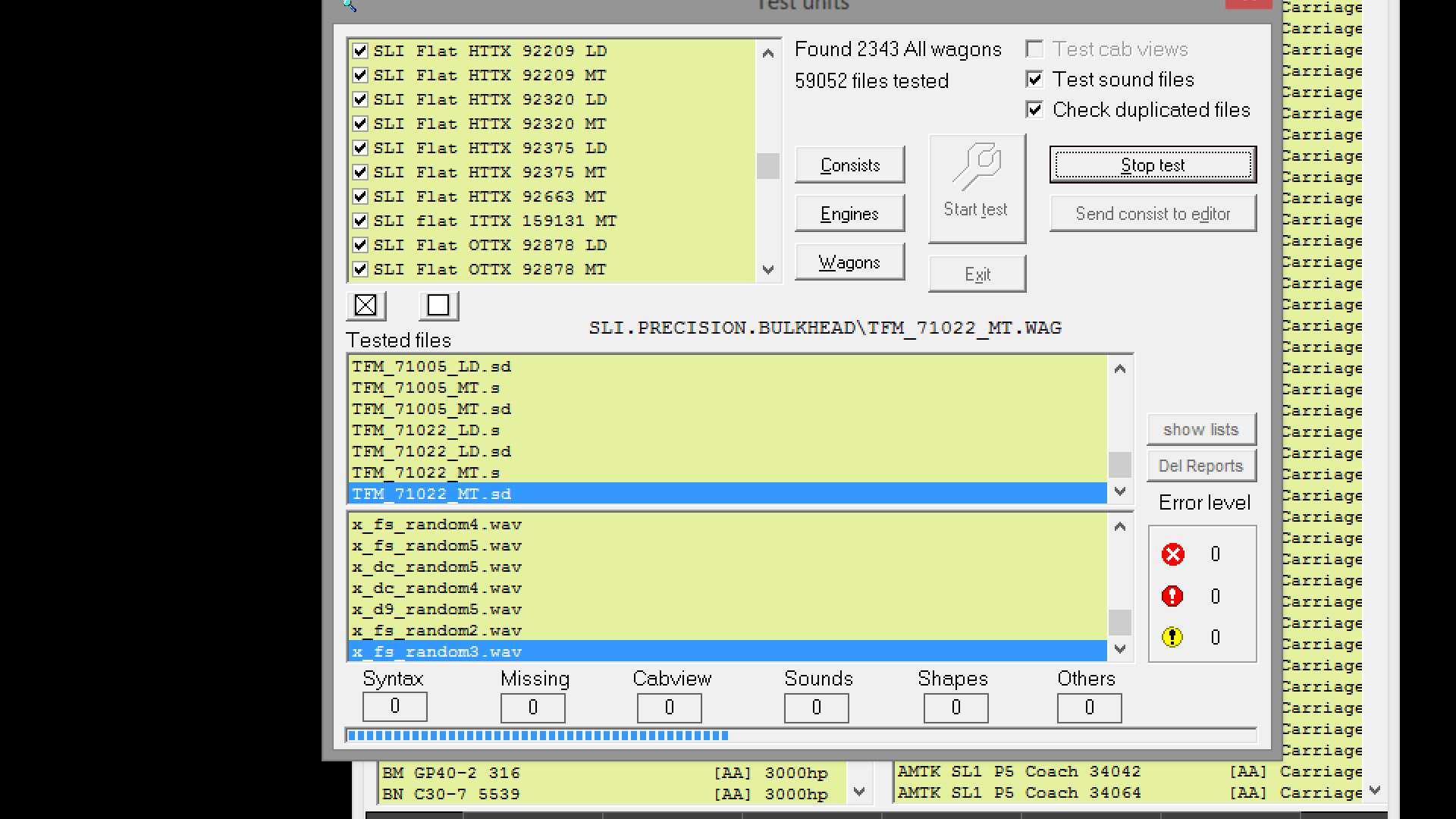
                  This is the type of testing of rolling stock and activities that the test functions in Conbuilder were designed to alleviate - before you introduce the rolling stock into consists or activities. It catches the errors before the Open Rails app ever gets around to loading said stock. Open Rails is basically reporting your rolling stock 'fitness' errors on the back end, whereas Conbuilder's testing features catch the errors on the front end, before you incorporate the stock into consists or loose consists. So do yourself a favor and install the Conbuilder 2.4.9 from the library here if you don't have it already, and run your engines, wags, and consists through the testing routines. For MSTS stock, there is nothing that beats it in terms of cleaning up problems in rolling stock before it gets incorporated into activities and consists. It's usefulness will wane as more and more Open Rails physics get introduced, but from the looks of things, the stock involved in these activities are not that advanced with ORTS physics yet. What amazes me is this type of self-help has been available for what, - 15 years now?

                  My Open Rails videos https://www.youtube.com/@lakecities3663/videos

                  Comment

                  • bootednancy
                    Senior Member

                    • Jun 2003
                    • 549
                    • New Jersey, United States

                    #10
                    To Geep775:

                    Thanks for the new info about ConBuilder......have used earlier versions of the program and found it good, except now with Open Rails, I have everything divided off into "mini routes" based on country or railroad(s), so ConBuilder has a little bit of a hard time dealing with that as it only responds to a program called Train Simulator. I would have to go and rename the mini-routes to Train Simulator everytime I needed to apply it.

                    One of the OR Log errors I got, some fatal, some not, is in regard to what appears to be a steam locomotive's physics..............which I have no idea what or how to fix...not concerned, since it is a not used Consist, only static, it is not an affected file.

                    Information: BoilerEfficiencyGrateAreaLBpFT2toX - default information read from SteamTables
                    Information: InitialPressureDropRatioRpMtoX - default information read from SteamTables
                    Information: BurnRateSteamToCoalLbspH - default information read from SteamTables
                    Information: BackPressureIHPtoAtmPSI (Saturated) - default information read from SteamTables
                    Doug

                    Happiness is when the AI-trains appear where you want them to

                    Comment

                    • baldwin
                      6000 Post Veteran


                      • Nov 1999
                      • 6358
                      • Chippenham, Wiltshire, UK.
                      • ORTS

                      #11
                      Those "errors" are not errors. They are information lines telling you that the required data was not found in the eng file, and that a set of default data was added from the steam tables that form part of the OR package. They only affect the overall efficiency of the steam locomotive and can be considered as the "icing on the cake" where steam eng files are concerned.
                      Beer is not a matter of life or death, it is much more serious than that.

                      Comment

                      • R. Steele
                        3500 Post Veteran

                        • Feb 2013
                        • 3928
                        • known universe
                        • ORTS

                        #12
                        Originally posted by bootednancy
                        To Geep775:

                        Thanks for the new info about ConBuilder......have used earlier versions of the program and found it good, except now with Open Rails, I have everything divided off into "mini routes" based on country or railroad(s), so ConBuilder has a little bit of a hard time dealing with that as it only responds to a program called Train Simulator. I would have to go and rename the mini-routes to Train Simulator everytime I needed to apply it.
                        Whoa there, I don't know much about the early versions of ConBuilder, but with the version I have (6.2.3) you can point it to any installation with a "TRAINS" folder and it will work....I'm thinking that version 2.4.9 that geepster mentioned also works this way. MSTSmanager, RouteRiter, Conbuilder itself, and I believe a utility program that slipperman has in the library will all "point" ConBuilder to any OR profile, installation, or mini-route.

                        Moreover, I don't understand your reference to having to use the name "Train Simulator" --- the folder name AFAIK, has nothing to do with how ConBuilder works. It needs to find a "TRAINS" folder containing two folders - a "TRAINSET" and "CONSISTS".
                        My knowledge of the inner workings of ConBuilder is not the best, so maybe someone with more experience will help.
                        bandicam 2019-06-13 09-50-18-746.jpg
                        Last edited by R. Steele; 06-13-2019, 11:00.
                        Cheers, Gerry
                        "A mind is like a parachute. It doesn't work if it is not open." Frank Zappa
                        It's my railroad and I'll do what I want! Historically accurate attitude of US Railroad Barons.
                        Forever, ridin' drag in railroad knowledge.
                        Audi, Vide, Tace, Si Vis Vivere In Pace​

                        https://www.trainsim.com/forums/filedata/fetch?filedataid=79656&type=medium​ https://www.trainsim.com/forums/filedata/fetch?filedataid=79654&type=small

                        Comment

                        • geepster775
                          2500 Post Veteran


                          • Sep 2006
                          • 2846
                          • .
                          • General

                          #13
                          The only thing you need is to have a bogus file named Train.exe placed in the root of every mini-route... err.... ORTS installation. Then you can change the "MSTS Path" under the options tab in conbuilder to any of your mini-routes. Conbuilder never uses the Train.exe, it just needs to see it, and any bogus zero byte file named Train.exe is enough to fake Conbuilder into thinking its a MSTS installation when its not. Didn't the recent PRR-ER come with a Vince-supplied fake Train.exe? You could use that one, placing it in the root of your other mini-routes. Or you can use a copy of the real MSTS Train.exe, doesn't matter.
                          My Open Rails videos https://www.youtube.com/@lakecities3663/videos

                          Comment

                          • R. Steele
                            3500 Post Veteran

                            • Feb 2013
                            • 3928
                            • known universe
                            • ORTS

                            #14
                            Originally posted by geepster775
                            The only thing you need is to have a bogus file named Train.exe placed in the root of every mini-route... err.... ORTS installation. Then you can change the "MSTS Path" under the options tab in conbuilder to any of your mini-routes. Conbuilder never uses the Train.exe, it just needs to see it, and any bogus zero byte file named Train.exe is enough to fake Conbuilder into thinking its a MSTS installation when its not. Didn't the recent PRR-ER come with a Vince-supplied fake Train.exe? You could use that one, placing it in the root of your other mini-routes. Or you can use a copy of the real MSTS Train.exe, doesn't matter.
                            Geepster please look at the pic that is in my post#12 --- I do not have a bogus train.exe file in the CSX folder...just the Raildriver calibration file, and the 4 required folders ( plus sub folders ) for OR. ConBuilder is also open and working...bogus train.exe file is not needed.

                            I just had a thought...is it needed for earlier versions of ConBuilder? The version I'm using is 6.2.3
                            Cheers, Gerry
                            "A mind is like a parachute. It doesn't work if it is not open." Frank Zappa
                            It's my railroad and I'll do what I want! Historically accurate attitude of US Railroad Barons.
                            Forever, ridin' drag in railroad knowledge.
                            Audi, Vide, Tace, Si Vis Vivere In Pace​

                            https://www.trainsim.com/forums/filedata/fetch?filedataid=79656&type=medium​ https://www.trainsim.com/forums/filedata/fetch?filedataid=79654&type=small

                            Comment

                            • crstagg
                              4500 Post Veteran


                              • Nov 1999
                              • 4885
                              • Huntsville, AL
                              • Texan
                              • MSOR

                              #15
                              Originally posted by R. Steele
                              Whoa there, I don't know much about the early versions of ConBuilder, but with the version I have (6.2.3) you can point it to any installation with a "TRAINS" folder and it will work....I'm thinking that version 2.4.9 that geepster mentioned also works this way. MSTSmanager, RouteRiter, Conbuilder itself, and I believe a utility program that slipperman has in the library will all "point" ConBuilder to any OR profile, installation, or mini-route.

                              Moreover, I don't understand your reference to having to use the name "Train Simulator" --- the folder name AFAIK, has nothing to do with how ConBuilder works. It needs to find a "TRAINS" folder containing two folders - a "TRAINSET" and "CONSISTS".
                              My knowledge of the inner workings of ConBuilder is not the best, so maybe someone with more experience will help.
                              [ATTACH=CONFIG]77067[/ATTACH]
                              Gerry,
                              The early versions of ConBuilder looked for the Train.exe in the root folder that was pointed to.
                              Older versions look for the proper subfolders.
                              Charles

                              Comment

                              Working...