I can't be bothered having to log into that site just to be able to read posts.
That's a silly requirement.
Here you go neddy........................
I made a simple route editor this winter. I think someone could be intrested.
It allows to create and edit routes for OR and MSTS. It's also very fast route viewer.
It's written in c++, OpenGL and QT, based on my own TS engine I made a few years ago. No other dependencies, so all you need is Windows with OpenGL. Possibility to compile for linux/mac. No MSTS needed at all. Only Global and Routes folders.
If you don't want to choose it every time, edit this line in settings.txt: gameRoot = C:/train simulator
Next you can select existing route or create new one:
If you don't want to select route every time, edit this line in settings.txt: routeName = cmk
If createNewIfNotExist is set to true, new routes with routeName will be created automatically.
New routes will work only with OR. MSTS requires more magic for terrain etc.
================================================== ===============================================
Controls in Editor:
[move]
AWSD, arrows, mouse - move
Q, space - up
E, shift - fast
[select]
R - rotation tool
T - translation tool
Y - resize tool (works only with transfer objects)
1,2,3,4,5,6,7,8,9 - use tool R/T/Y ( numpad required )
Alt - change step
[placement]
P - pick placement settings from selected object
C - clone object
X - change track end (use before Z)
Z - insert into TDB
Delete - delete object
[route]
M - save
B - create new tile at current position
0 - (zero) delete old and create new paths
================================================== ===============================================
How to use - simplest route:
1, 2 - select track section
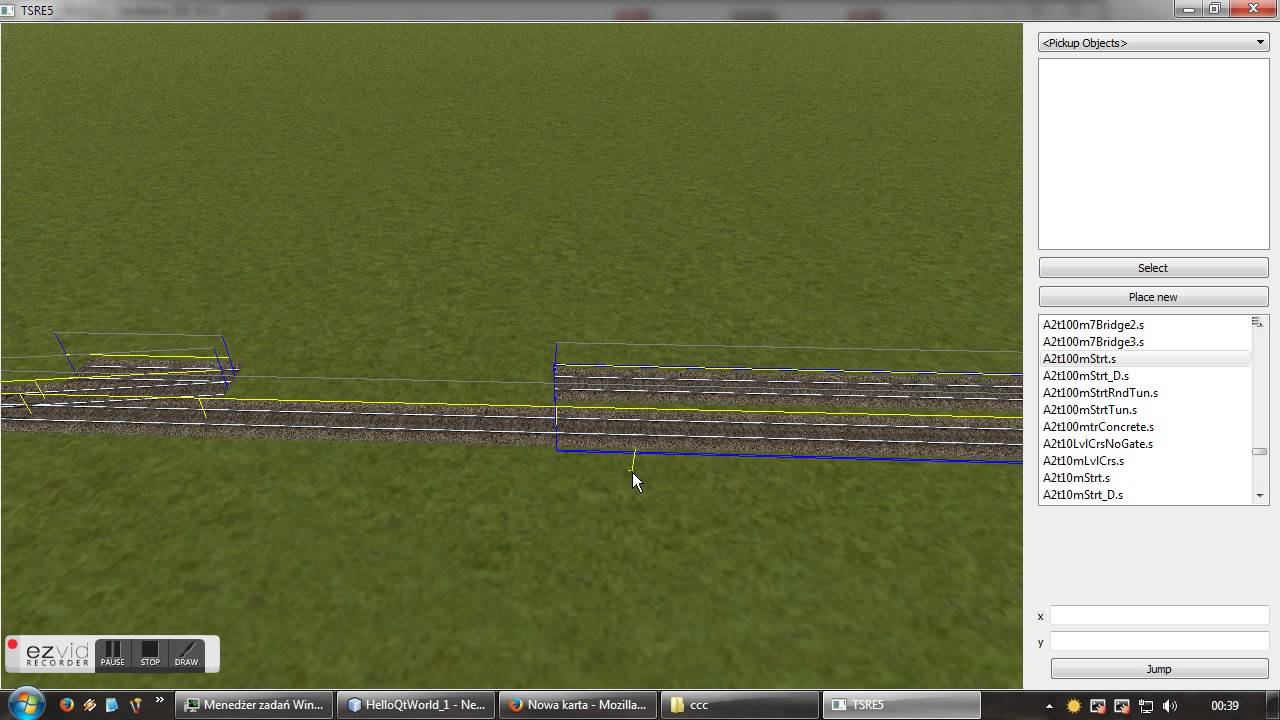
3 - click 'place new'
4 - left click on the ground to add new object
5 - press 'Z' to add track to TDB.
6 - repeat
7, 8 - select tree1.s
9 - left click on the ground to add trees
10 - press 'M' or Route->Save to save the route
10 - press '0' or Route->Save Paths to create and save new Paths
10 - remember endNode number where you want to start OR game
11 - choose this endnode in OR
12 - enjoy your own OR route!
More complex route? Add new shapes and textures to route and new entries to .ref file.
I've tested this software with success on huge routes: http://i.imgur.com/9SlRiCj.png , it takes one second to load route from SSD.
If you want to only explore MSTS routes, it's required to set those options in settings.txt writeEnabled = false
writeTDB = false
toolsHidden = true
Misc:
If you prefer bright theme / system theme, set systemTheme = true
================================================== ===============================================
What works:
- all world tile objects are properly loaded and saved
- only shapes works in binary and text mode. other files only text mode
- only static obj, track obj and transfer obj can be placed ( can place almost infinite number of objects on one tile ). Nothing more at the moment
- track items in TDB are not supported. If you want to edit existing MSTS route with track items, set writeTDB = false or delete track items
- placing tracks sometimes doesn't work as expected
I don't know if without track items it's useful at all as route editor, but it's lots of fun with making route even for 'explore route' mode.
I'll add dynamic track placing and terrain editing later.
Sources also later
So can this new RE handle buildings with high poly counts?? (Over say 10,000 polys) My MSTS RE can't deal with a building over 10,000. Yeah, I know. Very high for a building and all but what I've made so far works just fine running MSTS or OR.
Heres a video the author made of the RE in use. I havent gotten around to using it yet, but will soon. If we can get an option to place trees in the RE with an asset block like they do in RW, Id be in heaven. Maybe some sort of sorting feature, or search like Trainz to easily find shapes you want, or to make a list of shapes you use frequently.
We process personal data about users of our site, through the use of cookies and other technologies, to deliver our services, personalize advertising, and to analyze site activity. We do not share information about our users with anyone. For additional details, refer to our Privacy Policy.
By clicking "I UNDERSTAND" below, you consent to our Privacy Policy and our personal data processing and cookie practices as described therein. You also acknowledge that this forum may be hosted outside your country and you consent to the collection, storage, and processing of your data in the country where this forum is hosted.


 )



Comment