


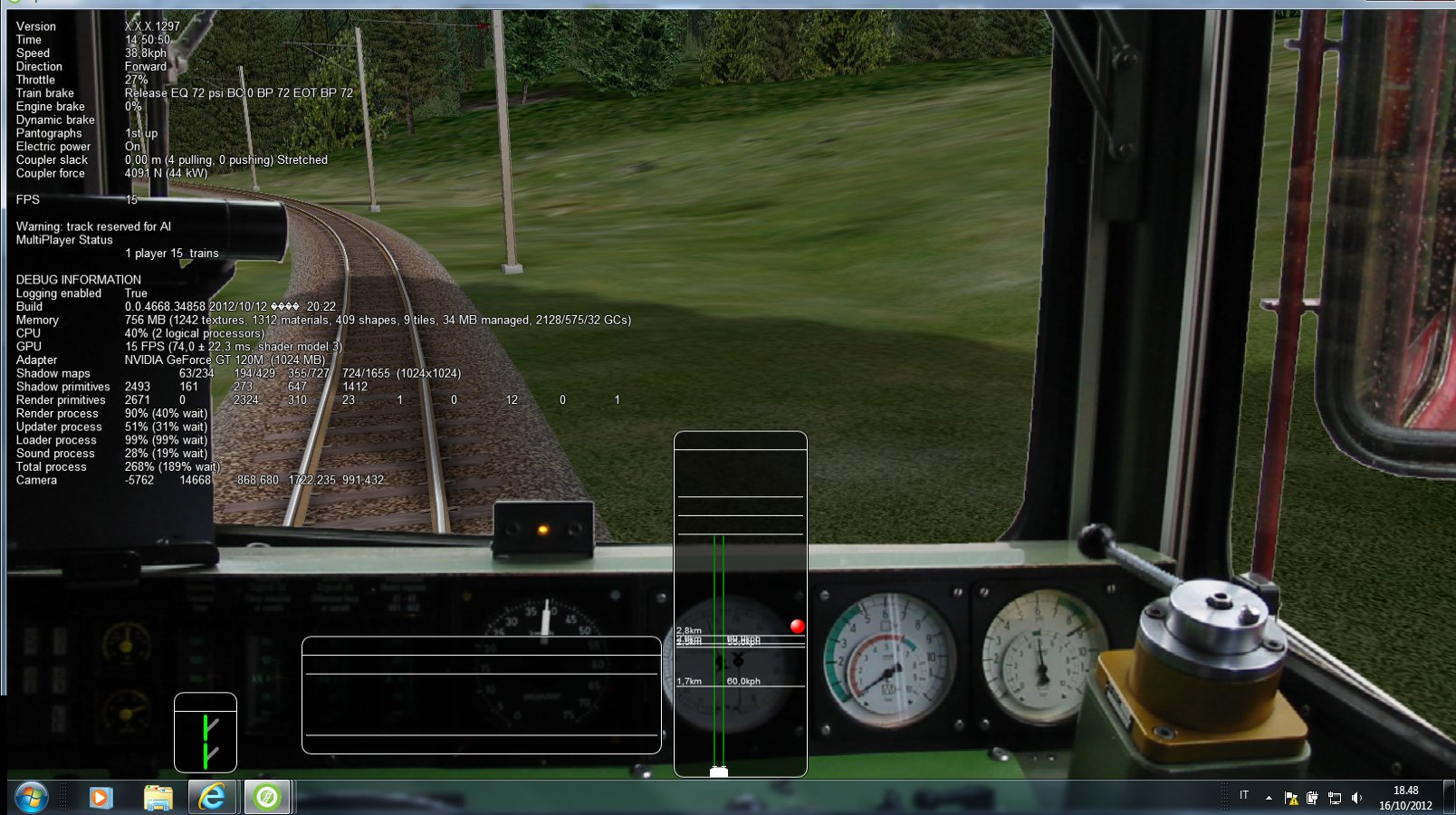
I've noticed that the track monitor, switch and train operations windows always temporarily lose data when the player train enters a specific new tile and recovers data when it exits a specific tile. On this portion of the route map drawn by Mosaic I have pinpointed with a black dot the point where data disappear and with a yellow dot the point where data appear again. The blue squares are the tile boundaries, and the red line is the track line.
Map.jpg
Here
you can see what appears on the screen. The event may be easily reproduced starting activity 1641_StM_Ti in the freeware Bernina route. The event happens about 5 minutes after start (after first tunnel and small station Celerina Staz).
I use this thread also for some further comment and request:
- it would be nice if the "Pick signals" and "Pick switches" checkbox would be available also in Single Player mode. Without such checkboxes sometimes it is impossible to pick a signal that is drawn in the same place where there is a switch;
- for switches it would be useful to have three possibilities, that is (analogously to signals) "System controlled", "To main route", "To side route"; that would be more similar to reality; linked to this is the fact that up to now it often seems not possible to override the switch position decided by the system; after few seconds the switch returns to the original position.
- it still happens that the player train gets an AI train in front of it in a single track line, even if the player train engaged the track section between two stations before the AI train; it seems that the automatic AI dispatcher does not check if a single track section is free before entering it from a station or a place where a meet is possible; this check should be performed independently from the fact that the single track was already reserved by the AI train;
- it would be nice if Ai train track reservation (velvet line on dispatch window) could consider waiting points in front of the train; a solution maybe could be that track reservation does not proceed forwards for a time equal to the waiting point time interval.
I hope that this may be of some use for the ORTS dev team.
Carlo
Map.jpg
Here
you can see what appears on the screen. The event may be easily reproduced starting activity 1641_StM_Ti in the freeware Bernina route. The event happens about 5 minutes after start (after first tunnel and small station Celerina Staz).
I use this thread also for some further comment and request:
- it would be nice if the "Pick signals" and "Pick switches" checkbox would be available also in Single Player mode. Without such checkboxes sometimes it is impossible to pick a signal that is drawn in the same place where there is a switch;
- for switches it would be useful to have three possibilities, that is (analogously to signals) "System controlled", "To main route", "To side route"; that would be more similar to reality; linked to this is the fact that up to now it often seems not possible to override the switch position decided by the system; after few seconds the switch returns to the original position.
- it still happens that the player train gets an AI train in front of it in a single track line, even if the player train engaged the track section between two stations before the AI train; it seems that the automatic AI dispatcher does not check if a single track section is free before entering it from a station or a place where a meet is possible; this check should be performed independently from the fact that the single track was already reserved by the AI train;
- it would be nice if Ai train track reservation (velvet line on dispatch window) could consider waiting points in front of the train; a solution maybe could be that track reservation does not proceed forwards for a time equal to the waiting point time interval.
I hope that this may be of some use for the ORTS dev team.
Carlo


Comment