This is the official home of Open Rails with news and links to content, vendors and the community. Open Rails is a totally free train simulator that supports the world’s largest range of rail content.
Fantastic improvements, but still a lot of work ahead.
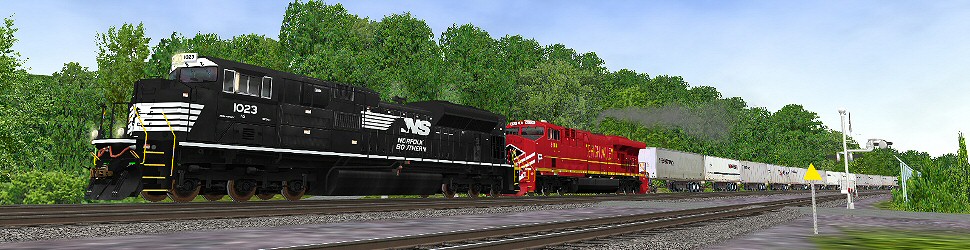
Here are some initial screenshots to start this feedback thread !
I tested the new OR version with the Bernina route. I especially appreciated the train physics, the great framerates, the option of graduated train brake release, the player train following the correct path, and the fact that some small things I noticed (like speeds in kmh not accepted in .eng files, or like trees floating in the air) have been solved. Also having an (unanimated by the moment) cab is nice to have. Now player-train only activities can be reasonably run with great pleasure.
Activities with AI traffic on single track line however have problems. My player trains met AI trains on full line instead of in stations, forcing me to stop activities, but I believe to understand that this is well known by the OR team.
Referring to sound also good progress was made, however pls take note of these small notes:
1) I found that such line
Initial_Trigger ( SetStreamVolume ( 0.0 ))
still does not seem to work as intended.
2) The volume balance within cab between cab sound and external AI trains sound seems to me to be not the same as in MSTS, that is in OR the external AI trains sound is heard in the cab at lower volume than in MSTS.
3) It seemed to me to hear in the AI train (that should make reference to the scalability 0 section of the .sms file) some brake sound coming from the scalability 5 section. Is it true?
I also kindly ask to correct the fact that now, if one trainset has combined control, comma and period have reversed functions with reference to dynamic braking.
In conclusion, a great THANK YOU to the OR dev team, and I am sure that pleasure in playing OR will grow exponentially with further releases!
This version is already good enough to do some serious railroading, the MSTS Editors still functioning to create activities for MSTS which work in ORTS and dare say that the same applies to modifying routes in MSTS and then run them in ORTS.
Below is a new short path Sniper297 Freedom type activity created in MSTS which runs perfectly in ORTS, front and rear couplers working as they should, improved by being able to use CTRL-U to uncouple wagons like a yard man would and change to another loco in the same consist with CTRL-E and drive it !
Minor, the Alt-Enter full screen view seems not to work, which is supposed to be the MSTS SHIFT-1 view which still works in ORTS ?
Could to with a F1 screen to show all the ORTS key functions like shown below.
The F5 HUD should list what engine drivers would like to see displayed in the order of most used, especially when doing a lot of shunting, which is what I do a lot:
Speed
Throttle Setting
Direction Indicator
Train Brake
Loco Brake
Time
etc
Graphics were great, however I was only getting between 2 and 5 FPS. Not sure why, I even lowed my screen res, and turned all the options to low.
Nat,
The Open Rails F5 HUD will help to diagnose performance problems. Push it three times to bring up the Extended HUD with Debug information. If you'd do a screen cap of that plus your system information, it would help the team understand where your problem lies. Are you running on a laptop?
chrisvw
Chris
"True rail fans have two favorite railroads. The B&O and one other."
Otto,
Thank you very much for the extensive validation testing in such a short time. It's a little like holding your breath when releasing a public version because you don't know what you don't know.
Could you tell us what activity for USA2 route caused the crash into the AI train? We'd like to test why that happened.
Again, I know the Open Rails team appreciates your effort.
chrisvw
Chris
"True rail fans have two favorite railroads. The B&O and one other."
Well, I've always been a little slow on the uptakes, so I'm probably missing something here - I'm crashing into AI trains all over the place because the signals are still dark. Or have the signals been activated and I just don't know how to turn them on?
We process personal data about users of our site, through the use of cookies and other technologies, to deliver our services, personalize advertising, and to analyze site activity. We do not share information about our users with anyone. For additional details, refer to our Privacy Policy.
By clicking "I UNDERSTAND" below, you consent to our Privacy Policy and our personal data processing and cookie practices as described therein. You also acknowledge that this forum may be hosted outside your country and you consent to the collection, storage, and processing of your data in the country where this forum is hosted.




Comment